Introducing DocScan for iPhone and iPad

The PixLab Mobile-Hub Team is pleased to announce the release of DocScan, PixLab’s all-in-one mobile document scanner for iPhone and iPad.
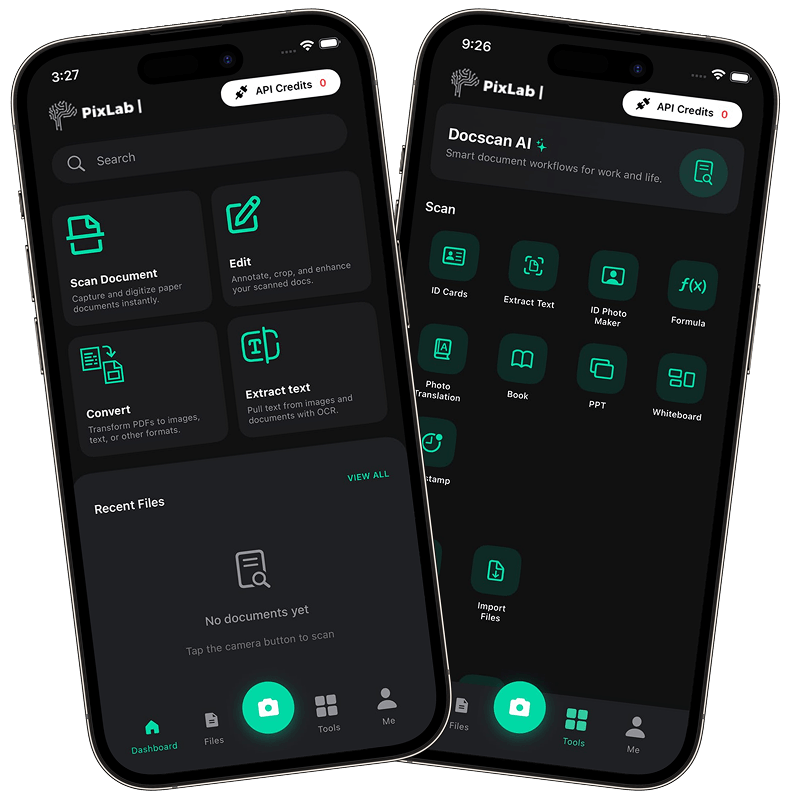
docscan ios

DocScan for iOS is built for people who need more than a basic camera capture. It helps you scan, read, structure, search, and reuse real-world documents directly from your mobile device. Whether you're working with handwritten notes, receipts, invoices, ID cards, menus, signs, or multi-page documents, DocScan for iOS turns raw scans into useful, structured output.

Download DocScan on the App Store

Scan, read, and use your documents faster

Most scanner apps stop after taking a picture. DocScan app goes further by understanding document content and helping you turn it into something actionable.

With DocScan for iOS, you can:

  • Scan handwritten notes and turn them into searchable text
  • Extract structured data from receipts and invoices
  • Capture and enhance ID documents with dedicated scanning tools
  • Use built-in document chat to ask questions about scanned pages
  • Export results to PDF, Markdown, JSON, and CSV
  • Build multi-page documents for archiving, sharing, or downstream workflows

Key features

Two-pass recognition

DocScan uses a two-pass recognition workflow. On-device OCR runs first for speed, then a cloud pass powered by DOCSCAN API improves difficult text when needed. This helps the app handle everything from rushed handwriting to noisy thermal receipts with better reliability.

Built-in document chat

Instead of reading through long pages manually, you can ask questions about what you scanned. Need a summary, a total amount, an expiration date, or a key detail from a contract or receipt? DocScan for iOS helps you get answers faster.

Handwriting scanning

DocScan for iOS is built to handle handwriting that basic OCR often misses, including cursive, shorthand, mixed scripts, and rushed writing. It is especially useful for notes, study material, research pages, and brainstorming sketches.

Receipt and invoice extraction

Thermal receipts and invoices rarely follow one format. DocScan for iOS extracts useful fields like vendor name, dates, totals, taxes, and line items so your scans are ready for accounting, reporting, or automation.

ID document capture

Passports, driver’s licenses, insurance cards, and other important documents need more than a simple photo. DocScan for iOS includes dedicated capture tools with glare reduction, edge detection, contrast tuning, and structured field extraction for cleaner results.

Signs, menus, and everyday document scanning

DocScan for iOS also works well on the go. Scan signs, notices, flyers, menus, and business cards, then search, translate, copy, or save the extracted content.

Flexible export formats

Scanned content should not stay trapped inside an app. DocScan supports export to:

  • PDF
  • Markdown
  • JSON
  • CSV

This makes it easier to archive scans, send them to teammates, move them into spreadsheets, or plug them into internal tools and automated workflows.

Built for real-world use

The DocScan mobile app is designed for people who work with documents every day, including:

  • Students and researchers digitizing handwritten notes and study material
  • Freelancers and small businesses capturing receipts, invoices, and contracts
  • Travelers saving IDs and reading signs or menus abroad
  • Developers and integrators building scanning and OCR into their own apps

Powered by the PixLab DOCSCAN API

One of the most important things about DocScan for iOS is that its scanning capabilities are powered by the PixLab DOCSCAN API.

That means the same engine behind the mobile app is also available to developers who want to add production-ready document scanning, OCR, KYC extraction, receipt ingestion, and structured document workflows to their own products.

If you’re building your own app, service, or internal platform, you can start integrating the same API that powers DocScan for iOS:

Available now

DocScan for iOS is now available on the App Store for iPhone and iPad.

  • Homepage: https://pixlab.io/mobile-apps/docscan-app
  • App Store: https://apps.apple.com/us/app/docscan-all-in-one-scanner/id6758423983

We built DocScan for iOS to make mobile document work faster, more intelligent, and more useful from the moment you capture a page. We’re excited to see how users and developers put it to work.
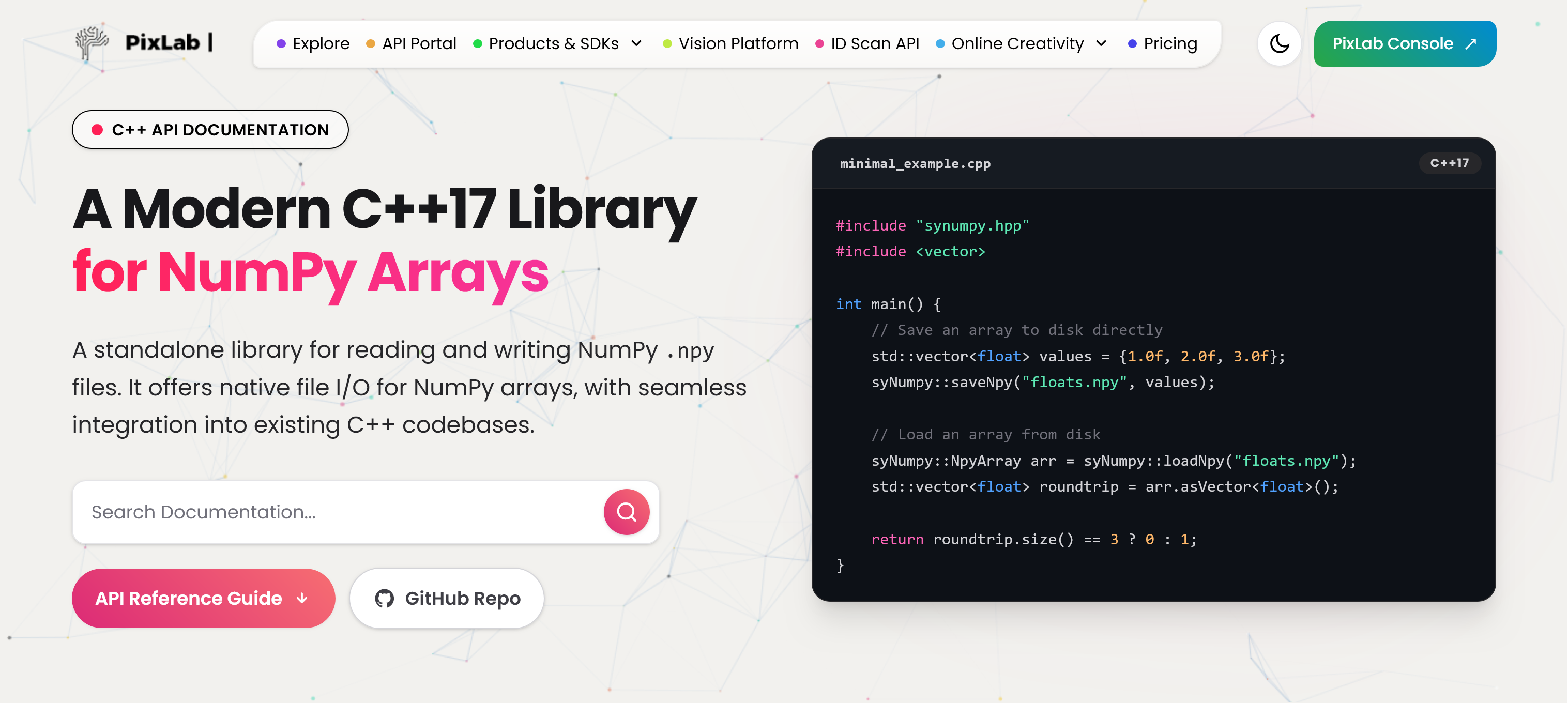
Introducing SyNumpy: A Standalone C++17 Library for Woking with Numpy Files and Arrays

enter image description here

At PixLab and Symisc Systems, we build systems that move data between native C++ code and Python-based machine learning workflows. In practice, that often means dealing with NumPy array files.

Today, we are open-sourcing syNumpy, a standalone C++17 library for reading and writing NumPy .npy files.

syNumpy is designed to be simple to integrate, easy to understand, and reliable in production. It gives native applications a clean way to exchange numerical arrays with Python tooling without dragging in a heavy dependency stack.

Why We Built It

In computer vision, facial analysis, visual search, OCR, and document processing, moving tensors and feature vectors across systems is routine. NumPy’s .npy format is a practical interchange format, but using it directly from C++ often means either relying on outdated code, pulling in more infrastructure than needed, or maintaining internal glue code.

We wanted something better:

  • modern C++17
  • small and focused API surface
  • easy vendoring into existing projects
  • explicit validation and predictable failures
  • production-ready .npy support without unnecessary complexity

That became syNumpy.

Production-Tested Inside FACEIO and PixLab

syNumpy is not a toy project or a throwaway utility. It is used internally by FACEIO for facial feature extraction workflows and by PixLab / Symisc Systems across production systems tied to visual search, document processing, and identity-document scanning.

That includes internal workflows behind:

That production use shaped the library directly. The goal was not to ship a bloated abstraction layer. The goal was to ship something dependable.

What syNumpy Provides

syNumpy focuses on doing one thing well: reading and writing NumPy .npy arrays from modern C++.

Current highlights include:

  • support for NumPy .npy files
  • a standalone C++17 implementation
  • a compact API centered around:
    • syNumpy::NpyArray
    • syNumpy::loadNpyBuffer()
    • syNumpy::loadNpy()
    • syNumpy::saveNpyRaw()
    • typed syNumpy::saveNpy() overloads
  • append mode support for compatible arrays
  • strict validation of malformed headers and truncated payloads
  • explicit runtime failures through syNumpy::Error

The core parser entry point is syNumpy::loadNpyBuffer(), which makes the library useful in embedded, memory-mapped, or network-driven workflows where the file is already available in memory.

Integration Is Intentionally Simple

One of the main design goals was frictionless integration.

The easiest way to use syNumpy is to add these two files directly to your codebase:

  • synumpy.hpp
  • synumpy.cpp

Compile them with your existing C++17 target and you are done.

No service layer. No code generator. No large runtime dependency stack.

The repository also includes a CMakeLists.txt and a simple Makefile, but the direct drop-in path is the intended fast path for most teams.

Minimal Example

#include "synumpy.hpp"
#include <vector>

int main() {
    std::vector<float> values = {1.0f, 2.0f, 3.0f};

    syNumpy::saveNpy("floats.npy", values);

    syNumpy::NpyArray arr = syNumpy::loadNpy("floats.npy");
    std::vector<float> roundtrip = arr.asVector<float>();

    return roundtrip.size() == 3 ? 0 : 1;
}

A Better Fit for Native ML and Vision Pipelines

There is a practical gap between Python-first tooling and production-grade native applications. syNumpy is meant to help close that gap.

If your system is already in C++, but your models, offline tooling, embeddings, or data-preparation steps live in Python and NumPy, having a straightforward .npy bridge matters. That is especially true in machine vision and identity workflows, where performance, reliability, and integration simplicity matter more than abstraction for abstraction’s sake.

Open Source and Licensing

syNumpy is released under the BSD 3-Clause License.

You can explore the project here:

Thoughts

We are releasing syNumpy because it solves a real problem we face in production, and because we think the wider C++ and machine vision community can benefit from a small, modern, well-scoped NumPy .npy library.

If you are building native AI, ML, OCR, document-analysis, or vision systems and need a direct bridge to NumPy arrays, syNumpy is built for exactly that use case.