Introducing SyNumpy: A Standalone C++17 Library for Woking with Numpy Files and Arrays

enter image description here

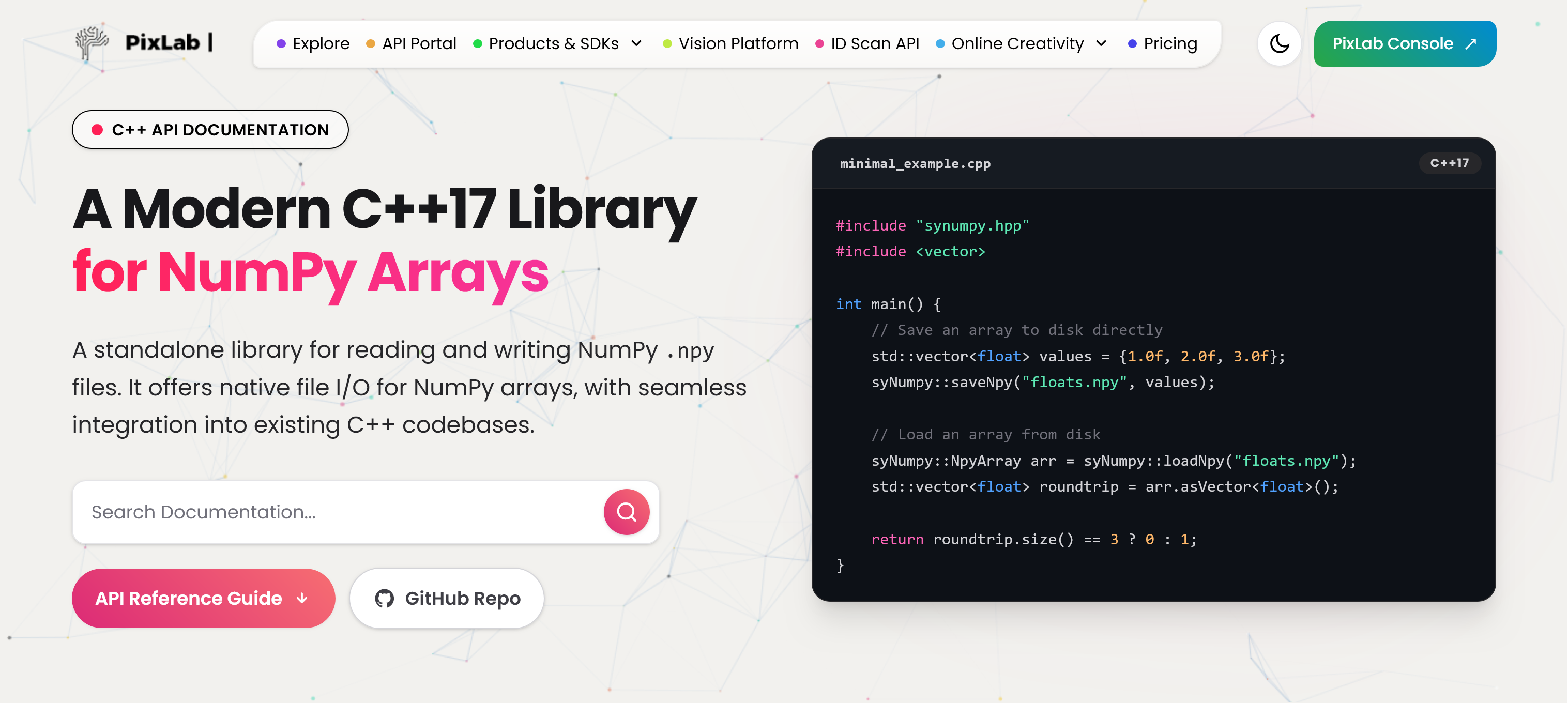
At PixLab and Symisc Systems, we build systems that move data between native C++ code and Python-based machine learning workflows. In practice, that often means dealing with NumPy array files.

Today, we are open-sourcing syNumpy, a standalone C++17 library for reading and writing NumPy .npy files.

syNumpy is designed to be simple to integrate, easy to understand, and reliable in production. It gives native applications a clean way to exchange numerical arrays with Python tooling without dragging in a heavy dependency stack.

Why We Built It

In computer vision, facial analysis, visual search, OCR, and document processing, moving tensors and feature vectors across systems is routine. NumPy’s .npy format is a practical interchange format, but using it directly from C++ often means either relying on outdated code, pulling in more infrastructure than needed, or maintaining internal glue code.

We wanted something better:

  • modern C++17
  • small and focused API surface
  • easy vendoring into existing projects
  • explicit validation and predictable failures
  • production-ready .npy support without unnecessary complexity

That became syNumpy.

Production-Tested Inside FACEIO and PixLab

syNumpy is not a toy project or a throwaway utility. It is used internally by FACEIO for facial feature extraction workflows and by PixLab / Symisc Systems across production systems tied to visual search, document processing, and identity-document scanning.

That includes internal workflows behind:

That production use shaped the library directly. The goal was not to ship a bloated abstraction layer. The goal was to ship something dependable.

What syNumpy Provides

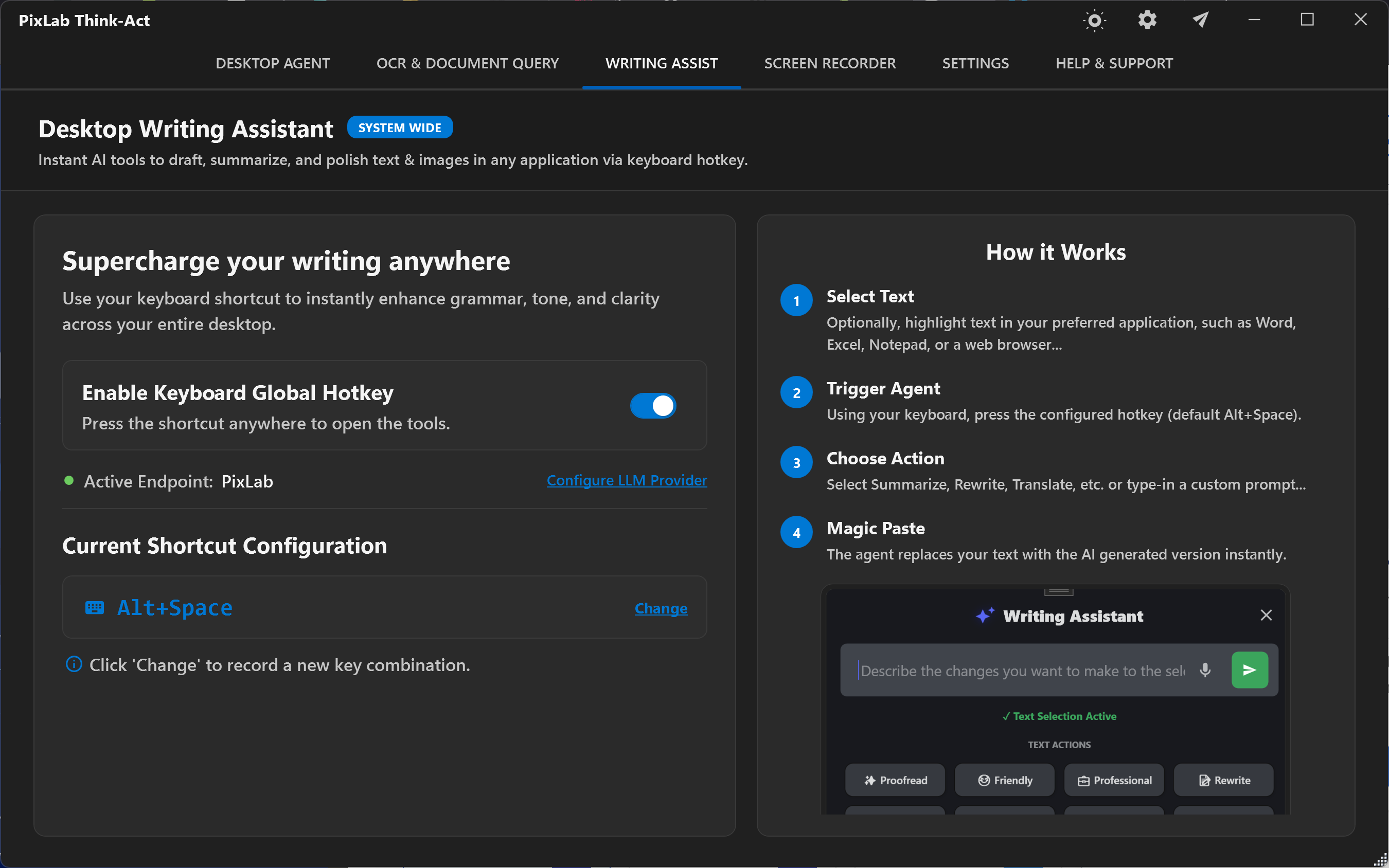
syNumpy focuses on doing one thing well: reading and writing NumPy .npy arrays from modern C++.

Current highlights include:

  • support for NumPy .npy files
  • a standalone C++17 implementation
  • a compact API centered around:
    • syNumpy::NpyArray
    • syNumpy::loadNpyBuffer()
    • syNumpy::loadNpy()
    • syNumpy::saveNpyRaw()
    • typed syNumpy::saveNpy() overloads
  • append mode support for compatible arrays
  • strict validation of malformed headers and truncated payloads
  • explicit runtime failures through syNumpy::Error

The core parser entry point is syNumpy::loadNpyBuffer(), which makes the library useful in embedded, memory-mapped, or network-driven workflows where the file is already available in memory.

Integration Is Intentionally Simple

One of the main design goals was frictionless integration.

The easiest way to use syNumpy is to add these two files directly to your codebase:

  • synumpy.hpp
  • synumpy.cpp

Compile them with your existing C++17 target and you are done.

No service layer. No code generator. No large runtime dependency stack.

The repository also includes a CMakeLists.txt and a simple Makefile, but the direct drop-in path is the intended fast path for most teams.

Minimal Example

#include "synumpy.hpp"
#include <vector>

int main() {
    std::vector<float> values = {1.0f, 2.0f, 3.0f};

    syNumpy::saveNpy("floats.npy", values);

    syNumpy::NpyArray arr = syNumpy::loadNpy("floats.npy");
    std::vector<float> roundtrip = arr.asVector<float>();

    return roundtrip.size() == 3 ? 0 : 1;
}

A Better Fit for Native ML and Vision Pipelines

There is a practical gap between Python-first tooling and production-grade native applications. syNumpy is meant to help close that gap.

If your system is already in C++, but your models, offline tooling, embeddings, or data-preparation steps live in Python and NumPy, having a straightforward .npy bridge matters. That is especially true in machine vision and identity workflows, where performance, reliability, and integration simplicity matter more than abstraction for abstraction’s sake.

Open Source and Licensing

syNumpy is released under the BSD 3-Clause License.

You can explore the project here:

Thoughts

We are releasing syNumpy because it solves a real problem we face in production, and because we think the wider C++ and machine vision community can benefit from a small, modern, well-scoped NumPy .npy library.

If you are building native AI, ML, OCR, document-analysis, or vision systems and need a direct bridge to NumPy arrays, syNumpy is built for exactly that use case.

PixLab Video Editor Update: Better VFX, Smarter Text Overlays, and a Faster Editing UI

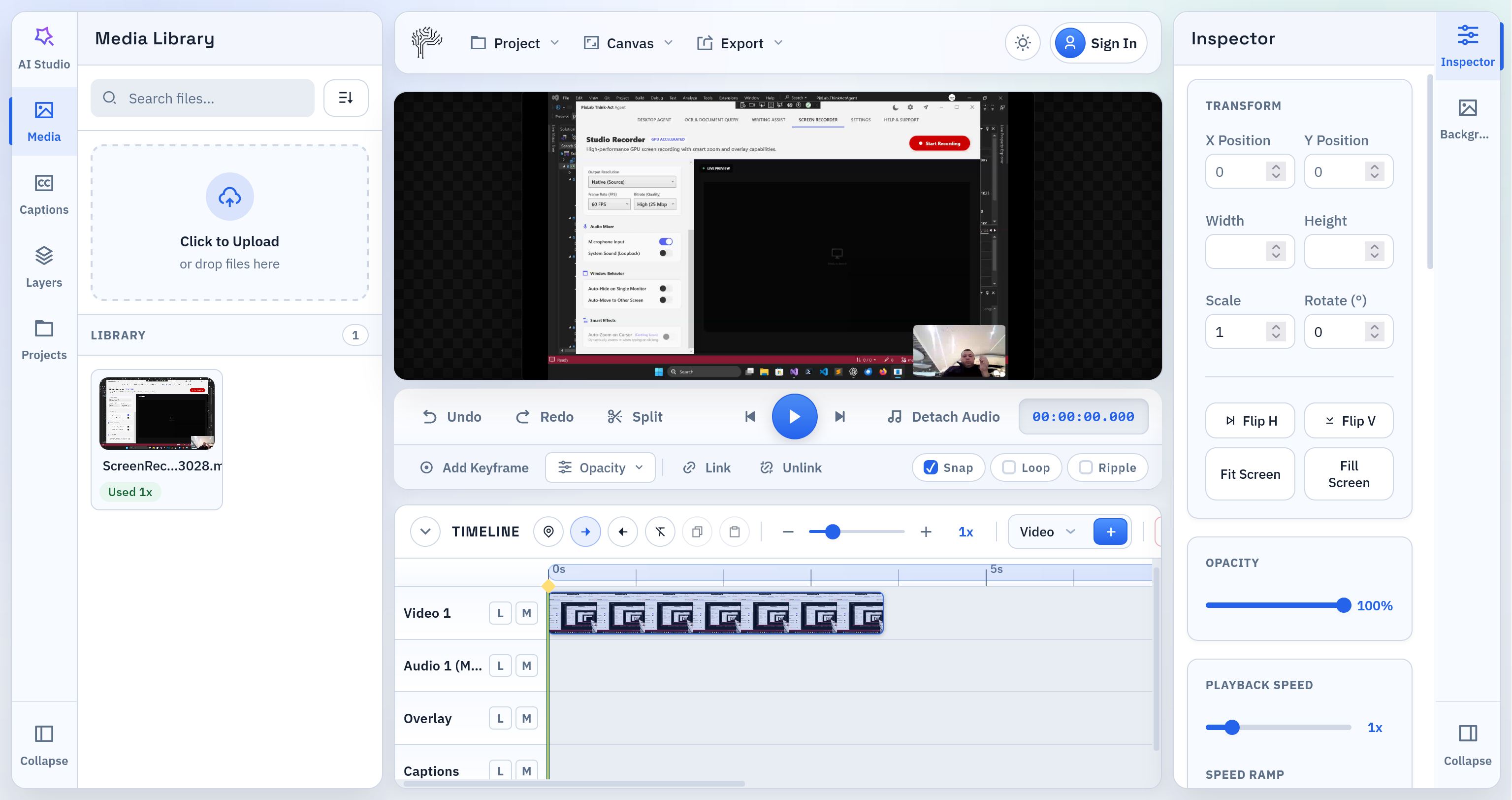
video UI

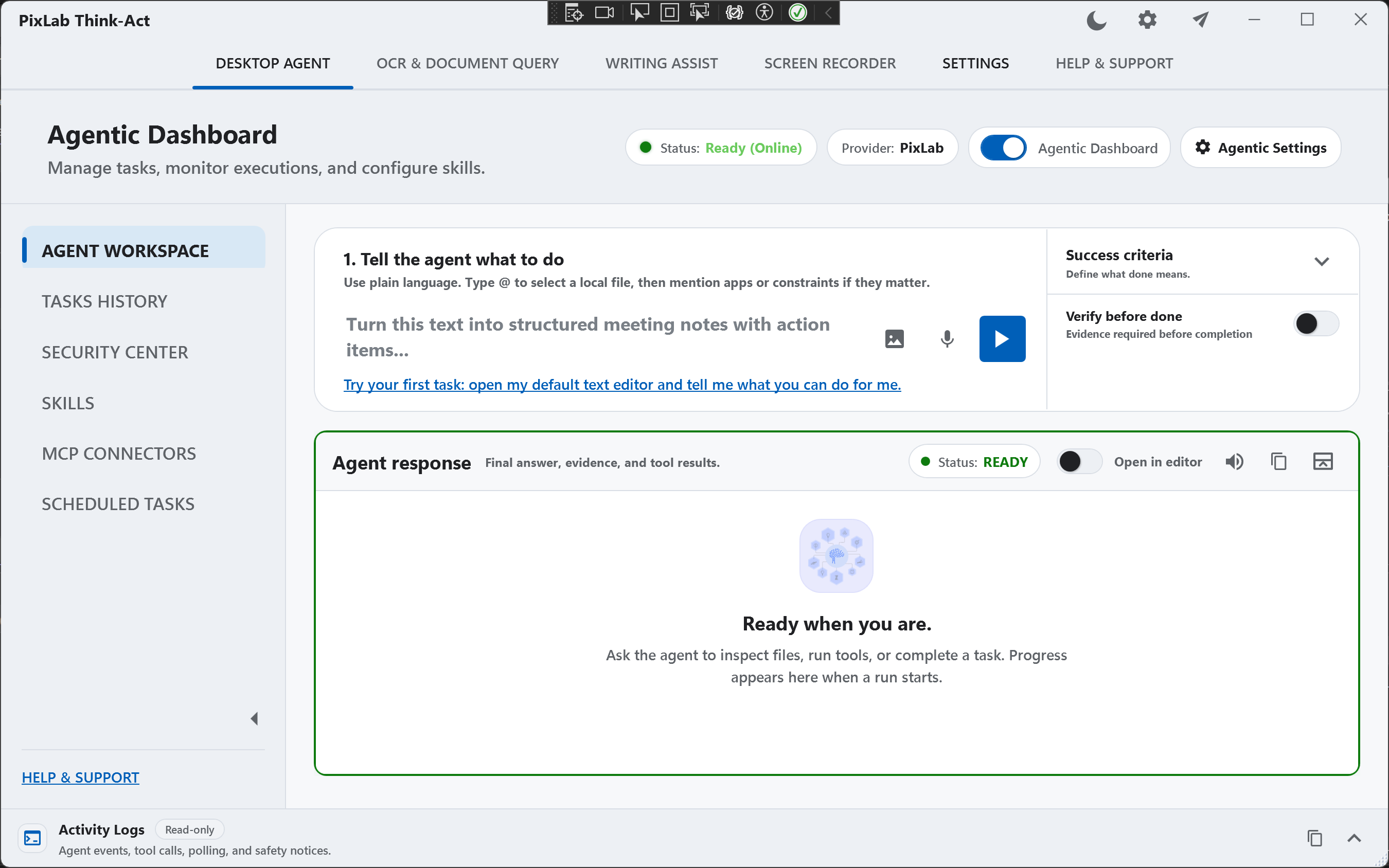
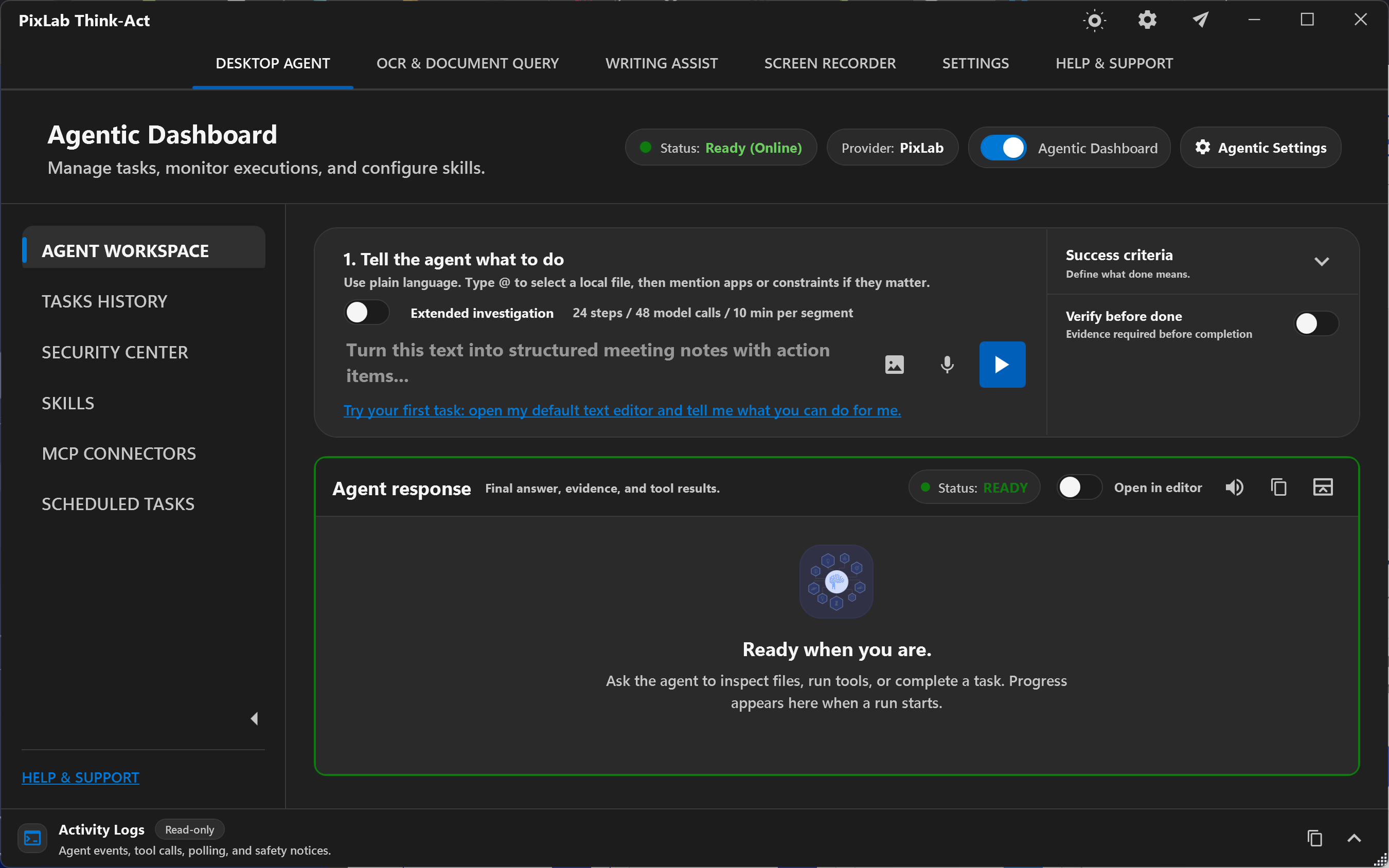
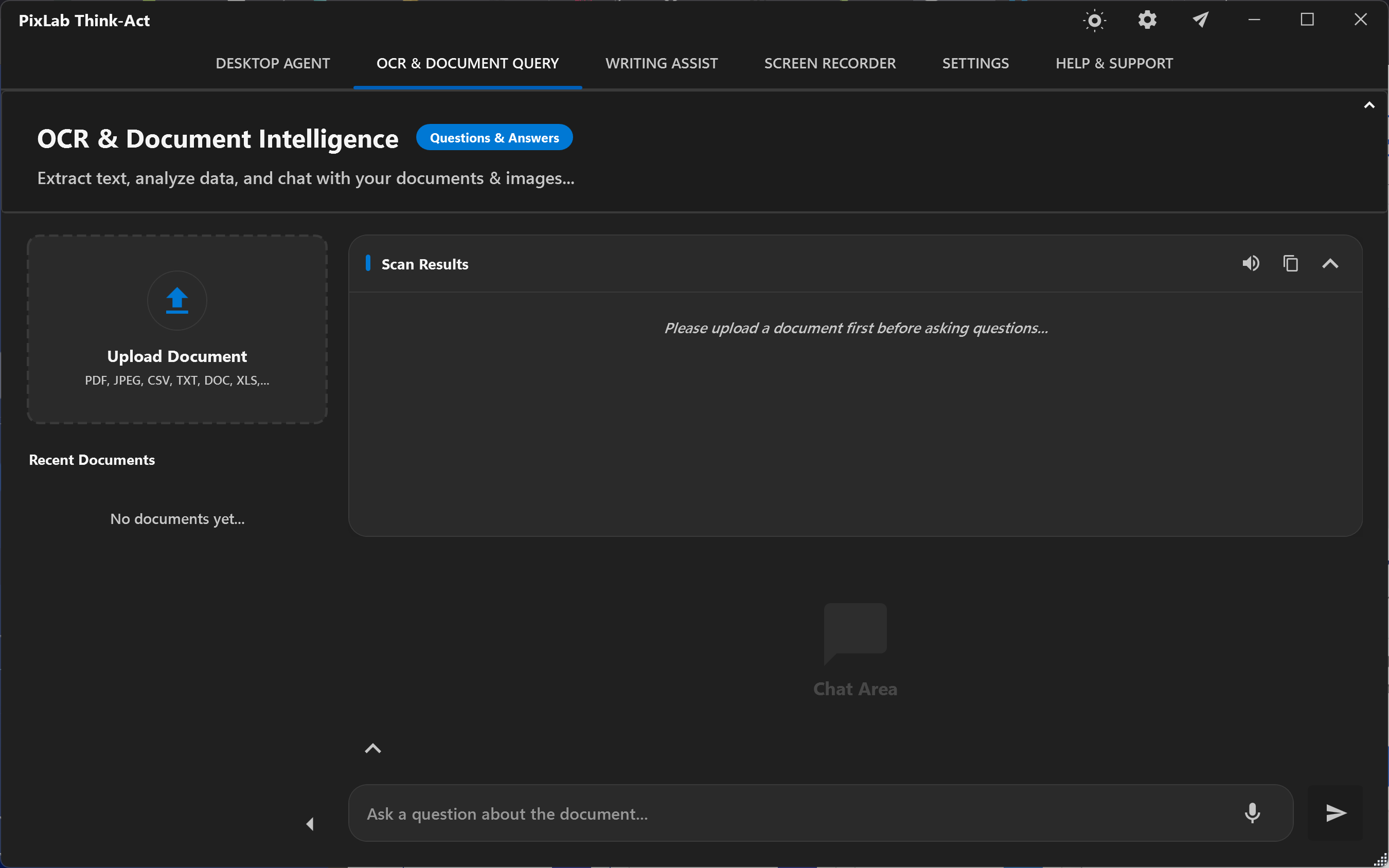
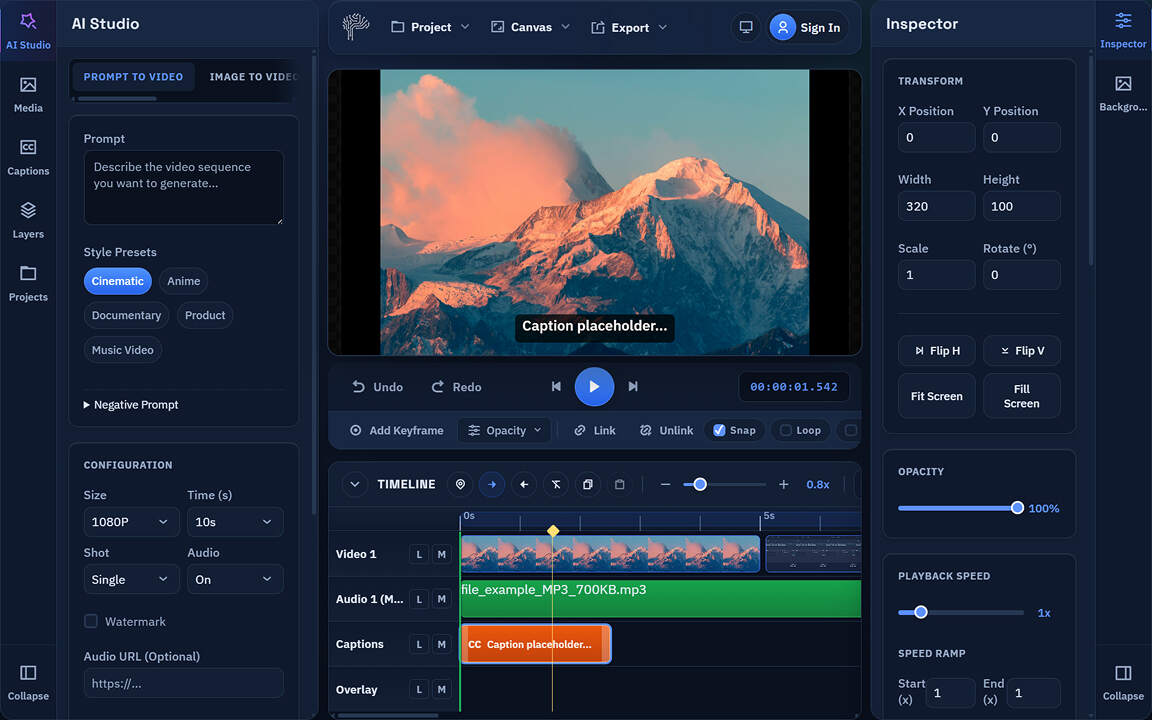
PixLab's Online Video Editor backed by WASM/WebGPU & WebAudio technolgies has reached an important milestone. The app now delivers a much stronger browser-based editing experience with a cleaner interface, smoother playback, better text tools, and a growing visual effects stack designed for short-form video work.

This update focuses on the fundamentals that matter most when people are editing Reels, Shorts, stories, and other fast-turnaround videos. The result is a video editor that is easier to use, more reliable on the timeline, and much more capable for creators who want polished output without installing desktop software.

You can try the editor here:

A Cleaner UI Built for Real Editing

The editing interface has been redesigned to reduce friction and keep the most important tasks obvious.

pixlab video editor

The current UI improvements include:

  • a more polished workspace layout
  • clearer separation between media, AI Studio, canvas, timeline, inspector, text, and effects
  • a simpler path for importing video, making edits, and exporting
  • a more focused right-side editing panel so text controls and effects no longer clutter the main inspector

The goal was straightforward: make it easier for a user to open a clip, make changes quickly, and export without fighting the interface.

New Text Overlay Workflow

Text overlays are now a real editing feature, not a basic add-on.

The editor now includes:

  • a dedicated Text tab for overlay creation and editing
  • direct text positioning on the canvas
  • better text styling controls
  • text background shapes
  • transparent text background support
  • stroke controls
  • custom font upload
  • live preview updates while editing

This makes PixLab much more useful for the kind of content people actually publish every day, including subtitles, hooks, lower thirds, title cards, and callout overlays.

Text Animation Presets

Text is no longer static by default. The editor now supports animation presets for overlays and captions, giving creators a faster way to add movement without manual keyframing.

Available animation presets include:

  • Fade
  • Pop In
  • Bounce
  • Slide Up
  • Type On

These presets are especially useful for short-form video where timing, emphasis, and readability all matter in the first few seconds.

Custom Fonts for Brand and Style Control

PixLab Video Editor now supports local custom font uploads for text overlays.

That means creators can:

  • use branded typography
  • match client visual identity
  • avoid being locked to a generic default font stack

Fonts stay local to the browser workflow and are tied into project persistence so users can continue editing with the same look and feel later.

New VFX and Effects Controls

The editor now includes a dedicated Effects workspace for clip-level visual adjustments and future VFX expansion.

The current effects set includes:

  • brightness
  • contrast
  • saturation
  • hue rotate
  • blur
  • sepia
  • grayscale
  • vignette
  • sharpen

There are also quick presets for faster grading and look development:

  • Clean
  • Punchy
  • Cinematic
  • Noir

These effects are designed for practical video editing use cases rather than novelty. They help creators clean up footage, push style quickly, and get to a better result without leaving the browser.

Crop Controls for Social Video Framing

Basic crop controls are now included for video and image clips. This is important for adapting footage to short-form layouts and tighter compositions without forcing users into a full layout rebuild.

Combined with text overlays and canvas positioning, crop support makes it much easier to repurpose source footage for vertical and mobile-first formats.

A Better Timeline for Everyday Editing

The timeline has been significantly improved with a focus on simple, high-frequency actions.

Recent timeline improvements include:

  • stronger trim behavior for clip starts and ends
  • easier-to-grab trim handles
  • a floating mini toolbar directly on selected clips
  • trim start to playhead
  • trim end to playhead
  • split at playhead
  • direct visual trimming on the timeline
  • live trim feedback while dragging
  • double-click edge trimming to the playhead

These changes make the most common cleanup tasks much easier, especially when removing the first few frames after hitting record or trimming the tail of a clip before export.

Linked Audio and Detach Audio Improvements

Audio handling on the timeline has also improved.

The editor now supports stronger linked clip behavior for video and detached audio, including:

  • linked move
  • linked trim
  • linked split
  • linked delete
  • safer detach audio behavior

This helps the timeline behave more like a professional editor and reduces the friction of common editing operations where video and audio need to stay aligned.

Smoother Playback and More Reliable Canvas Preview

Playback was another major focus in this update. The canvas preview is now smoother, and audio playback is more stable thanks to better browser-side handling.

Behind the scenes, the editor now benefits from:

  • improved media hydration when projects are reopened
  • better handling of stored media assets
  • smoother timeline updates during playback
  • improved audio sync using a stronger playback path

This matters because creators need to trust what they see and hear before they export.

Export and Project Handling Improvements

The export path has been hardened so the editor behaves more reliably on real projects.

Recent improvements include:

  • better asset persistence
  • safer project save and reload behavior
  • improved export handling for repeated media usage
  • stronger frame seek behavior during export
  • better handling of audio volume during export

These changes reduce the gap between preview and final output and make the editor safer to use on actual production work.

AI Studio Is Ready for the Next Phase

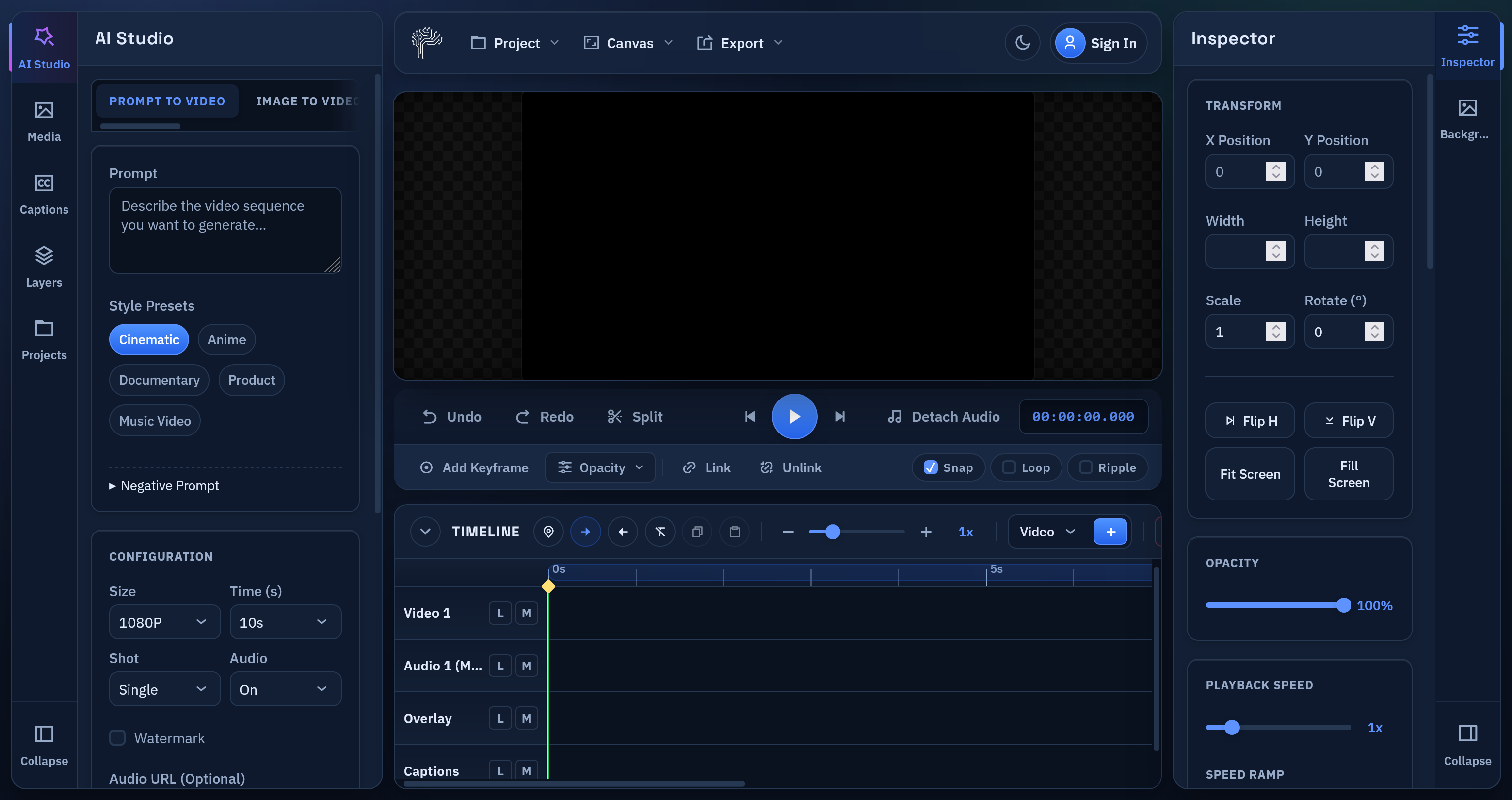
The AI Studio area in the interface is already in place and prepared for the upcoming backend integration. The current work has focused on making the core editor strong first, so that generated clips can drop into a workflow that already feels complete.

That means when AI video generation is fully connected, users will not be landing in a weak editor shell. They will be landing in a real browser-based video editor with text, effects, timeline controls, audio tools, and export already working together.

What This Update Means

This release is about maturity.

PixLab Online Video Editor is becoming a more capable short-form editing environment all for free with:

  • better usability
  • stronger playback
  • improved export reliability
  • richer text tools
  • a dedicated effects pipeline
  • cleaner editing workflows

If your work involves browser-based video editing, short-form content production, captions, overlays, or quick social edits, this update makes PixLab meaningfully more practical.

Try It

Open the app:

Learn more:

Read the tutorial:

More updates are coming, including backend-powered AI generation and a stronger AI jobs workflow. For now, the core editing foundation is in much better shape and ready for the next phase.

PixLab Video Editor Is Live: Edit Videos Online in Your Browser

PixLab Video Editor is now live at video.pixlab.io

enter image description here

If you need a fast online video editor for short-form content, social clips, subtitles, text overlays, and quick exports, PixLab Online Video Editor is built for that workflow. The app runs directly in the browser, keeps the editing experience simple, and gives creators a practical way to open a video, make edits, and export without installing desktop software.

Why We Built PixLab Video Editor

Most people do not want a bloated editing workflow. They want to:

  1. Open a video
  2. Trim, split, and rearrange clips
  3. Add captions or text overlays
  4. Export to a web-friendly format

That is the core problem PixLab Video Editor is solving.

PixLab is designed as a browser video editor for creators publishing to:

  • Instagram Reels
  • Instagram Stories
  • YouTube Shorts
  • TikTok-style vertical videos
  • Product demos
  • Marketing videos
  • Fast social content

What You Can Do in PixLab Video Editor

PixLab already includes the editing features most users need for modern short-form production:

1. Edit Video Online Without Installing Software

PixLab works as an online video editor directly in the browser. You can launch the app here:

Open PixLab Video Editor

This makes it useful for fast edits, lightweight workflows, and teams that want a simple editing environment without a traditional desktop setup.

2. Trim, Split, and Arrange Clips on a Timeline

The editor includes a timeline built for practical editing:

  • clip trimming
  • split at playhead
  • track-based editing
  • markers
  • in/out range selection
  • timeline zoom

For creators editing short videos, that matters more than a complicated interface.

3. Add Captions, Subtitles, and Text Overlays

Captions and text are central to social video. PixLab supports:

  • text overlays
  • styled caption blocks
  • subtitle workflows
  • SRT import and export
  • text animation presets
  • custom font uploads
  • direct on-canvas text positioning

This makes PixLab Video Editor a strong fit for anyone searching for an online subtitle editor or caption editor for short videos.

4. Customize Text for Social Content

Text overlays are not limited to plain title cards. You can create:

  • lower thirds
  • callout banners
  • subtitle cards
  • speech bubble styles
  • bold headline text
  • branded overlays with custom fonts

If your audience watches with sound off, this is one of the most important parts of the product.

5. Export to MP4 or WebM

PixLab supports export for common web workflows, including:

  • MP4 export
  • WebM export
  • range-based export

That makes it suitable for creators looking for an MP4 video editor online or a WebM video editor in the browser.

Built for Modern Short-Form Video Editing

PixLab Video is intentionally focused on the workflows people use every day:

  • edit vertical video fast
  • add subtitles for retention
  • place text on screen for hooks and CTAs
  • make small corrections without a heavyweight editor
  • export content quickly for publishing

For many creators, that is enough to replace a much slower toolchain.

Who PixLab Is For

PixLab Video Editor is a practical fit for:

  • content creators
  • social media managers
  • founders making product clips
  • marketers producing ad creatives
  • agencies editing short-form client videos
  • educators creating captioned explainers

If you need a video editor for Instagram Reels, video editor for YouTube Shorts, or a browser-based subtitle editor, PixLab is aimed directly at that use case.

What Makes PixLab Different

PixLab focuses on the core editing loop instead of trying to do everything at once.

That means:

  • cleaner workflow
  • faster start
  • browser-first editing
  • practical export formats
  • strong text and caption tooling
  • short-form friendly interface

The goal is not to overwhelm users with complexity. The goal is to help them ship content faster.

Start Editing Now

If you want to edit video online, add captions, place text overlays, and export without leaving the browser, start here:

Final Notes

This release establishes PixLab as a serious online video editor for browser-based editing. More capabilities are planned, but the current release is already positioned around the features most creators use constantly:

  • timeline editing
  • subtitles
  • text overlays
  • caption styling
  • custom fonts
  • MP4 and WebM export

If you want a clean browser video editor for short-form creation, PixLab Video Editor is ready to use. Ready to edit your next short video?

PixLab AI Video Editor

Try PixLab Video Editor now

Introducing fio.js 3.0: A Quantum Leap in Facial Authentication UX & Performance

FACEIO Landing

At FACEIO, we believe that security shouldn't come at the cost of user experience. Today, we are thrilled to announce the immediate availability of fio.js 3.0, a massive overhaul of our client-side facial authentication widget.

This update isn't just a patch; it is a complete reimagining of how users interact with biometric security in the browser. We’ve rebuilt the rendering engine, polished the UI to a mirror shine, and hardened our security heuristics—all while handing more control back to developers.

Here is what’s new in version 3.0.

1. Intelligent Visual Guidance & Responsive UX

The days of ambiguous, static loading screens are over. We have introduced a new Smart Focus System designed to guide users intuitively.

  • Active Engagement: If a user looks away or the face isn't clearly visible, the interface gently transitions into a "Searching" mode to signal that the system is active but waiting for input.
  • Dynamic Feedback: A smooth, animated scanning effect cycles through calming colors (Green, Cyan, Sky Blue, and Orange) to guide the user's attention back to the camera frame without being startling.
  • Modern Visual Cues: We’ve replaced standard bounding boxes with stylish Neon Tech Brackets that glow and change color to provide instant, clear feedback on proximity and recognition status.

2. Enhanced User Freedom: The showAbortBtn Parameter

We understand that sometimes, a user might start an enrollment process and decide to stop halfway through. To improve user agency, we've introduced the showAbortBtn parameter.

  • Total Control: By setting showAbortBtn: true in your enroll() configuration, you can choose to make the close (X) button visible throughout the entire interaction.
  • Graceful Exit: If a user clicks this button, the operation terminates immediately, and the Promise is rejected with the specific fioErrCode.ABORTED_BY_USER (Error Code documented here).
  • Better Flow: This allows your application to handle voluntary cancellations distinctively from timeouts or network errors, enabling smooth UI transitions back to your main app.

3. Glassmorphism & Typography Overhaul

The UI has received a significant facelift to match modern design trends:

  • Glassmorphism Notifications: Status messages (like "Move Closer" or "Look at Camera") now float in elegant, semi-transparent glass bubbles with neon accents.
  • Crisp Typography: We've standardized on the Montserrat font family for all canvas elements, ensuring legibility and a consistent brand look across devices.
  • Haptic Feedback: On supported mobile devices, users now feel a subtle vibration when interacting with the PIN pad, adding a tactile layer to the digital experience.

4. 60 FPS Buttery Smooth Rendering

We have completely decoupled the Detection Logic from the Rendering Loop.

  • Throttled Detection: Heavy WASM (WebAssembly) detection now runs at an optimized ~25 FPS to save CPU cycles.
  • High-Speed UI: The visual interface renders at a native 60 FPS.
  • The Result: No more lag or stuttering, even on older mobile devices. The video feed remains fluid while the AI does the heavy lifting in the background.

5. Smart "Virtual Camera" Detection

Security is paramount. fio.js 3.0 introduces a new Heuristic Scoring System to detect presentation attacks. It analyzes frame rate patterns, and driver behaviors to block virtual cameras attempting to spoof the system, without penalizing legitimate users who have complex audio/video setups.

Coming Soon: Background Face Filtering

We are already working on the next big leap: Intelligent Multi-Face Filtering.

In busy environments (offices, coffee shops), people walking in the background often trigger "Multiple Faces Detected" errors. The upcoming update will feature a smart depth-and-focus filter that ignores background passersby and locks exclusively onto the active user in the foreground. Stay tuned!

Get Started

The new update is live and automatically available to all users pointing to our CDN. You don't need to change a single line of code to benefit from the performance upgrades, though we recommend exploring the new parameters to tailor the UX to your needs.

There has never been a better time to add facial authentication to your web application. Try out fio.js 3.0 today and give your users the secure, seamless experience they deserve.

PixLab & FACEIO Pricing Update: Clearer Plans, Better Value, More Power 🚀

We’ve just rolled out an important pricing update across PixLab and FACEIO, and it’s one we’re genuinely excited about. The goal is simple:

make our plans clearer, fairer, and better aligned with how developers, teams, and businesses actually use our products.

If you’ve been using PixLab or FACEIO or thinking about it, this update is for you.

Pricing Update


Why We Updated Our Pricing

Over time, PixLab and FACEIO have grown from individual APIs into full AI platforms used in production by developers, startups, and enterprises worldwide.

Our previous pricing tiers were functional, but they didn’t fully reflect:

  • The maturity of the products
  • The real value delivered at each level
  • The different needs of individuals vs. businesses vs. enterprises

So we redesigned the pricing ladder to be:

  • More intentional
  • Easier to understand
  • Better at guiding users to the right plan

The New Pricing Plans

Here’s the updated pricing for both PixLab and FACEIO:

Plan Price Best for
Starter $20 / month Developers getting started, testing, small projects with moderate traffic
Pro $39 / month Serious individual users and small teams with high traffic
Business $99 / month Production workloads and growing companies
Enterprise $200+ / month High-scale, compliance, and custom needs

Each step represents a real jump in capability, not just a cosmetic upgrade. View full pricing details:


Why This Pricing Works Better

Each tier now has a clear purpose. No confusion. No overlap:

  • Starter → moderate traffic apps, and early usage
  • Pro → daily, production ready, serious usage
  • Business → production and team workflows
  • Enterprise → scale, compliance, and support

What This Means for You

If you’re already a user:

  • You now have clearer upgrade paths
  • Better alignment between price and features
  • Plans that grow with your usage

If you’re new:

  • You can start at $20 with confidence
  • Upgrade only when you actually need more power
  • No artificial complexity or hidden traps

Try the New Plans Today

Whether you’re building:

  • AI-powered apps
  • Face authentication systems
  • OCR and document workflows
  • Computer vision pipelines
  • Enterprise-grade AI solutions
  • Content Creation & Visual Marketing via BG-REMOVE and TXT-REMOVE APIs

The new PixLab and FACEIO plans are designed to support you from first experiment to full production. Get started now:

PixLab

FACEIO


Final Thoughts

This pricing update isn’t about charging more.
It’s about pricing honestly, supporting growth, and building long-term trust.

As always, thank you for building with PixLab andFACEIO. 💙

PixLab Prompt Photo Editor for iOS Is Now Available on App Store

PixLab Prompt Photo Editor is now live on the App Store, bringing a new way to edit photos on iPhone and iPad. Instead of relying on complex tools, layers, or sliders, PixLab lets you edit images by simply typing what you want.

Download the app:
https://apps.apple.com/us/app/pixlab-ai-prompt-photo-editor/id6754860845

Learn more on the PixLab website:
https://pixlab.io/ios-photo-editor

prompt


Why PixLab Prompt Photo Editor Is Essential

Most mobile photo editors slow users down with technical interfaces. PixLab for iOS is designed around a different idea: if you can describe an edit, you should be able to apply it instantly.

PixLab for iOS turns natural language into real photo edits. This makes it an essential tool for creators, professionals, and everyday users who want fast, reliable results without a learning curve.


Edit Photos by Typing What You Want

PixLab’s for iOS core workflow is prompt-based photo editing. You write a short instruction, and the app applies the edit automatically.

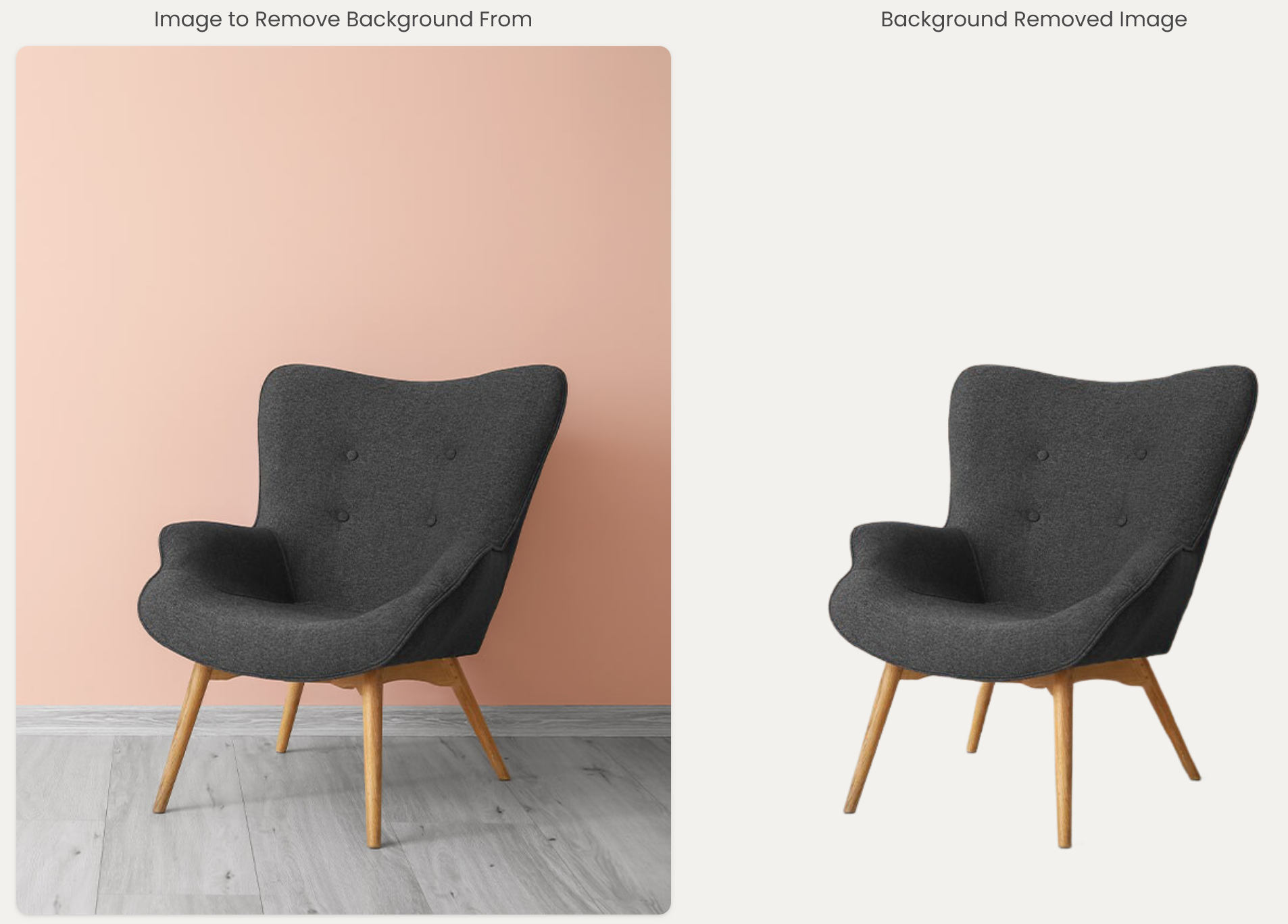
Examples include: - Remove the background - Remove unwanted objects or people - Improve lighting and image clarity - Make the photo look professional - Change the background or overall mood

You can refine the result by typing another prompt, making the editing process fast and intuitive exactly like it's web companion version at editor.pixlab.io.


Simple to Use, Professional Results

PixLab for iOS is built for users who want high-quality results without learning traditional photo editing software. There are no layers, masks, or complex adjustment panels to manage.

The interface stays focused on the photo and the prompt, allowing you to move from idea to final image in seconds. This makes PixLab ideal for product photos, profile images, marketing visuals, and social media content.


Advanced Tools When You Need Them

Beyond AI-powered prompt editing, PixLab for iOS also includes professional-grade photo tools optimized for touch. These allow precise refinement after AI generation, including color adjustments, retouching, and cleanup.

This combination of AI automation and manual control gives users flexibility without complexity.


Built for Mobile Creativity

PixLab Mobile Pormpt Photo Editor is designed specifically for iOS. Heavy AI processing runs securely in the cloud, keeping the app fast and responsive while delivering high-quality edits.

The app fits naturally into mobile workflows, whether you are editing on the go or preparing visuals for work, content creation, or personal projects.


Start on Mobile, Continue Anywhere

ios-ipad

PixLab is part of the broader PixLab ecosystem. Projects created on iOS can be continued on the PixLab web editor, making it easy to move between devices while keeping your work consistent.

This is especially useful for creators and teams who start edits on mobile and finish them on a larger screen.


Who PixLab Is For

PixLab iOS Prompt Photo Editor is designed for: - Everyday users who want great photos without complex tools - Creators and influencers producing content on mobile - Professionals who need fast, reliable image edits

If photo editing is part of your daily workflow, PixLab iOS is built to save you time.


Get PixLab Prompt Photo Editor

PixLab Prompt Photo Editor is available now on the App Store.

Download on App Store:
https://apps.apple.com/us/app/pixlab-ai-prompt-photo-editor/id6754860845

Web Version:
https://editor.pixlab.io/

Learn more:
https://pixlab.io/ios-photo-editor