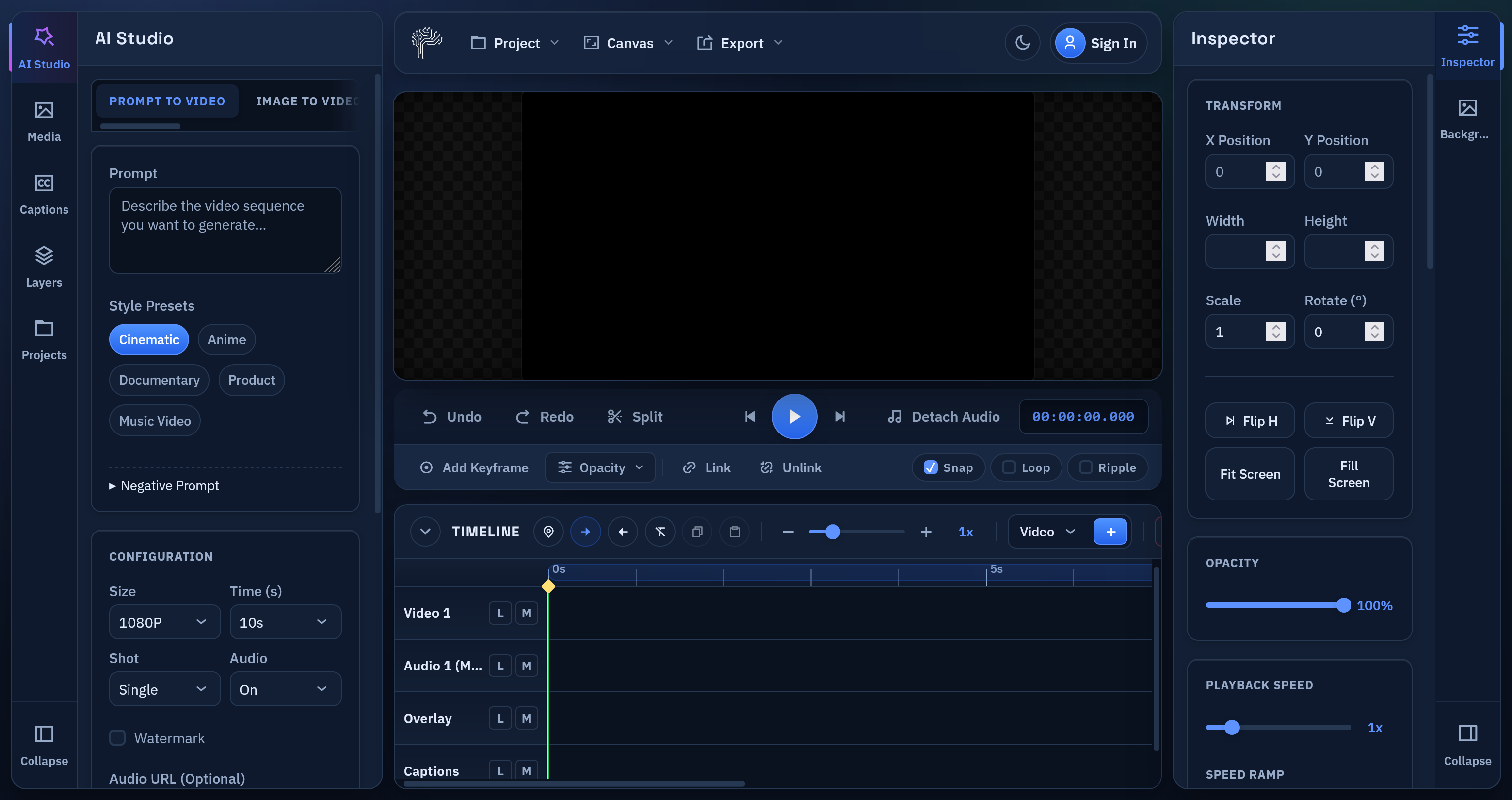
PixLab Video Editor is now live at video.pixlab.io
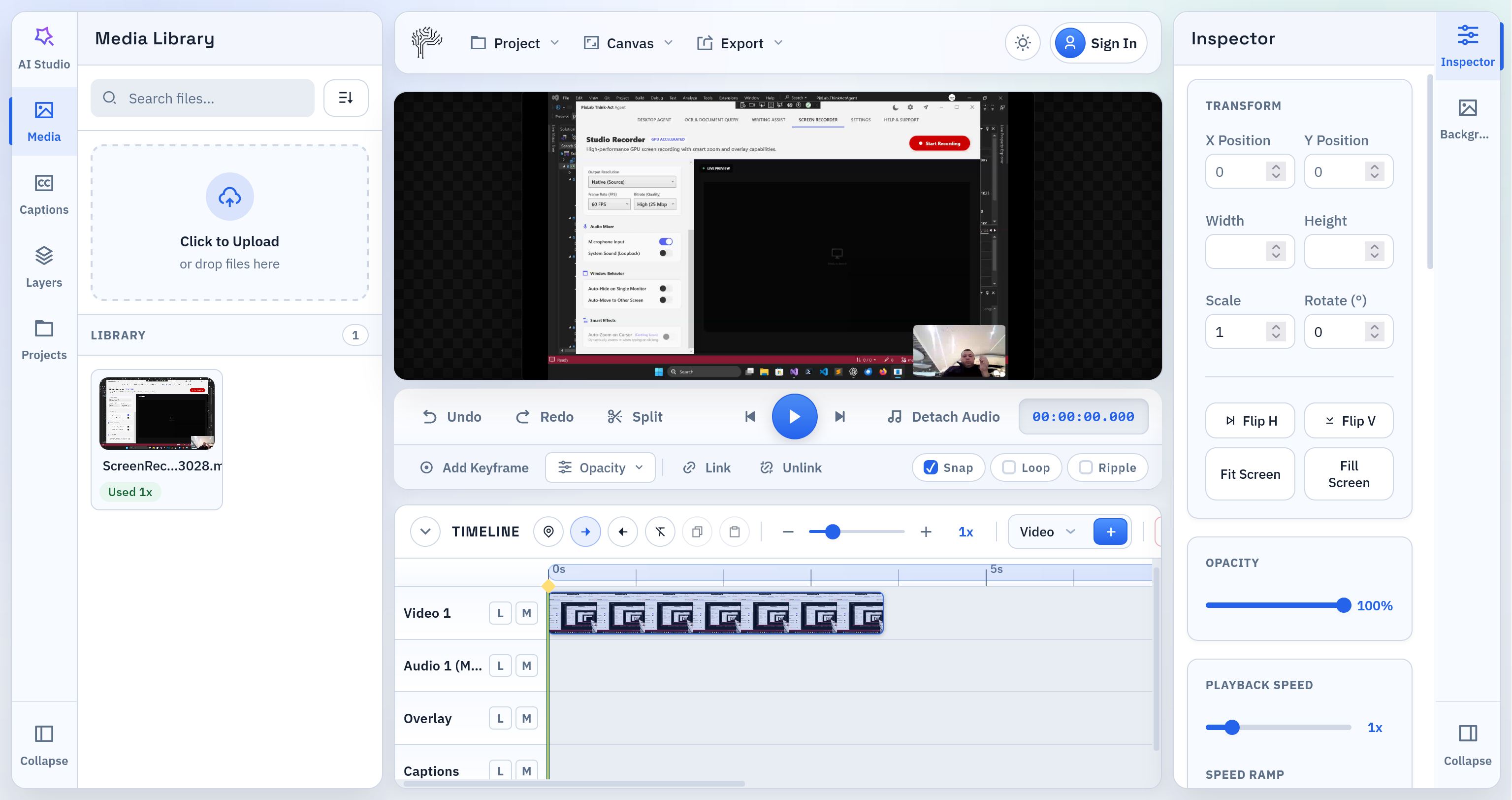
If you need a fast online video editor for short-form content, social clips, subtitles, text overlays, and quick exports, PixLab Online Video Editor is built for that workflow. The app runs directly in the browser, keeps the editing experience simple, and gives creators a practical way to open a video, make edits, and export without installing desktop software.
Why We Built PixLab Video Editor
Most people do not want a bloated editing workflow. They want to:
- Open a video
- Trim, split, and rearrange clips
- Add captions or text overlays
- Export to a web-friendly format
That is the core problem PixLab Video Editor is solving.
PixLab is designed as a browser video editor for creators publishing to:
- Instagram Reels
- Instagram Stories
- YouTube Shorts
- TikTok-style vertical videos
- Product demos
- Marketing videos
- Fast social content
What You Can Do in PixLab Video Editor
PixLab already includes the editing features most users need for modern short-form production:
1. Edit Video Online Without Installing Software
PixLab works as an online video editor directly in the browser. You can launch the app here:
This makes it useful for fast edits, lightweight workflows, and teams that want a simple editing environment without a traditional desktop setup.
2. Trim, Split, and Arrange Clips on a Timeline
The editor includes a timeline built for practical editing:
- clip trimming
- split at playhead
- track-based editing
- markers
- in/out range selection
- timeline zoom
For creators editing short videos, that matters more than a complicated interface.
3. Add Captions, Subtitles, and Text Overlays
Captions and text are central to social video. PixLab supports:
- text overlays
- styled caption blocks
- subtitle workflows
- SRT import and export
- text animation presets
- custom font uploads
- direct on-canvas text positioning
This makes PixLab Video Editor a strong fit for anyone searching for an online subtitle editor or caption editor for short videos.
4. Customize Text for Social Content
Text overlays are not limited to plain title cards. You can create:
- lower thirds
- callout banners
- subtitle cards
- speech bubble styles
- bold headline text
- branded overlays with custom fonts
If your audience watches with sound off, this is one of the most important parts of the product.
5. Export to MP4 or WebM
PixLab supports export for common web workflows, including:
- MP4 export
- WebM export
- range-based export
That makes it suitable for creators looking for an MP4 video editor online or a WebM video editor in the browser.
Built for Modern Short-Form Video Editing
PixLab Video is intentionally focused on the workflows people use every day:
- edit vertical video fast
- add subtitles for retention
- place text on screen for hooks and CTAs
- make small corrections without a heavyweight editor
- export content quickly for publishing
For many creators, that is enough to replace a much slower toolchain.
Who PixLab Is For
PixLab Video Editor is a practical fit for:
- content creators
- social media managers
- founders making product clips
- marketers producing ad creatives
- agencies editing short-form client videos
- educators creating captioned explainers
If you need a video editor for Instagram Reels, video editor for YouTube Shorts, or a browser-based subtitle editor, PixLab is aimed directly at that use case.
What Makes PixLab Different
PixLab focuses on the core editing loop instead of trying to do everything at once.
That means:
- cleaner workflow
- faster start
- browser-first editing
- practical export formats
- strong text and caption tooling
- short-form friendly interface
The goal is not to overwhelm users with complexity. The goal is to help them ship content faster.
Start Editing Now
If you want to edit video online, add captions, place text overlays, and export without leaving the browser, start here:
- Launch PixLab Video Editor
- Visit homepage at pixlab.io/ai-video-editor for features set, tutorials, and more.
Final Notes
This release establishes PixLab as a serious online video editor for browser-based editing. More capabilities are planned, but the current release is already positioned around the features most creators use constantly:
- timeline editing
- subtitles
- text overlays
- caption styling
- custom fonts
- MP4 and WebM export
If you want a clean browser video editor for short-form creation, PixLab Video Editor is ready to use. Ready to edit your next short video?