Junior Developers Can No Longer Write a Working Function Without a Chatbot

At Symisc Systems, PixLab's parent company, we have taken on top engineering students from selective schools either remotely or on-site for their projets de fin d'études, or final-year projects. Some worked on embedded software in C/C++. Others worked on web development in vanilla JavaScript.

One striking pattern is how often even bright students struggle to write a complete, working function without returning to a chatbot for help.

Among the more than 20 students we observed, the tools in use were either ChatGPT or Z.ai's GLM models. Curiously, we did not see anyone using Anthropic's Claude. This was simply something we noticed while working with them, not a formal survey.

An assignment on our Think-Act Desktop Agent gives a good example of what concerned us.

A small dashboard task

A junior developer was asked to write an analytics function for the agent's internal usage dashboard. The task was to retrieve statistics stored as JSON in Redis through the backend and display them on the page using vanilla JavaScript.

He had a master's degree and was actively looking for a job.

During the implementation, he kept returning to his chatbot for elementary questions, including how to get an HTML element by its ID.

That meant looking up document.getElementById().

There is nothing wrong with forgetting a method name. We look things up every day, and using a chatbot for that is perfectly reasonable. What caught our attention was how much of the implementation depended on asking for the next step.

We expected him to need help with our codebase. But inspecting a JSON response, selecting an element and updating its contents should have been familiar enough for him to make progress independently.

Completing the assignment is only part of it

A student can follow a generated implementation and understand each line when it is explained. Writing a similar function from scratch can still be difficult.

The first attempt is where you have to make your own decisions. You inspect the input, decide what to do with it and discover what you misunderstood. Even a small function gives you practice that should make the next one easier.

When the chatbot supplies every step, it becomes harder to know how much of that practice is actually happening.

We build AI products ourselves. We see the usefulness of these tools, and there is no reason to ban them from an internship. But getting the work finished cannot be the only measure of a successful placement. The student should leave more capable than when they arrived.

A reasonable expectation

For a task like this, we think it is reasonable to ask a junior to make an initial attempt before requesting a generated solution. Read the documentation, inspect the response and try the implementation. Then use the chatbot to help with a specific difficulty.

Code review should include a conversation about the work. Ask the student to explain a condition, handle an empty response or make a small change. There is no need for a memory test or an interrogation.

A master's degree does not mean someone knows everything, and nobody expects a junior to work without help. But after implementing one dashboard function, they should be better equipped to write the next.

That is what we want to see: not whether they stop using the chatbot, but whether they need less guidance as they gain experience.

This is how we build our frontends

At PixLab, we use only vanilla JavaScript for frontend development. No React, no Vue. The same approach powers our customer dashboard, which serves thousands of customers, with a backend ingesting millions of real-time API usage records.

We had not removed a framework to make the assignment harder. He was working with the tools we use in production.

Customers rely on that dashboard to check usage for services such as our background removal API. Whether we are displaying those request counts or reviewing Think-Act activity internally, someone needs to understand how the data reaches the screen and why a number might be wrong.

That was the useful part of the assignment: following the data, writing the function and checking its behavior. It was also an opportunity to become comfortable with basic browser development.

UnQLite Embedded Database Engine v1.2.1 Released: Faster, Lighter, More Reliable

UnQLite

Symisc Systems is pleased to announce the immediate availability of UnQLite v1.2.1 – the latest stable release of the embedded NoSQL database engine.

What’s New

  • Performance Boost – Up to 30% faster on key-value operations and document store queries.
  • Reduced Memory Footprint – Optimized KV store engine lowers RAM usage by an average of 15%.
  • New API: unqlite_kv_append() – Append binary data to existing keys without reading the whole value.
  • Improved JSON Validation – Stricter schema checks when using the document store API.
  • Bug Fixes – Addressed race conditions on concurrent reads in WAL mode and corrected cursor behavior after rollback.

Upgrading

UnQLite v1.2.1 is a drop-in replacement for v1.1.x. Simply drop the amalgamation build on your source tree and you are done. No further action are needed.

Full release notes are available on GitHub.

Why UnQLite?

For those new to the project: UnQLite is a self-contained, serverless NoSQL database that stores both key/value pairs and JSON documents. It runs in-process with zero configuration – ideal for mobile apps, IoT devices, and edge computing.

Get Involved

Upgrade today and let us know what you build with UnQLite!

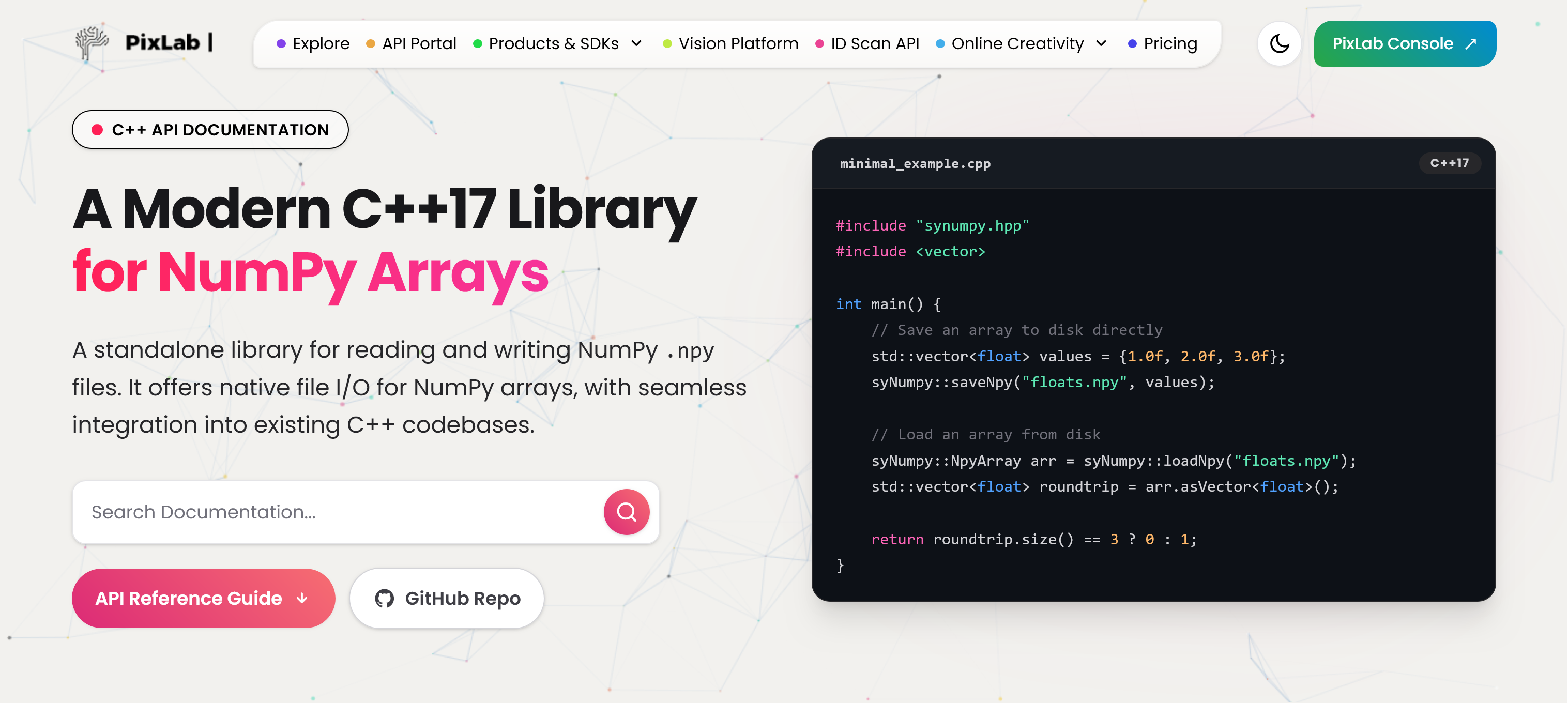
Introducing SyNumpy: A Standalone C++17 Library for Woking with Numpy Files and Arrays

enter image description here

At PixLab and Symisc Systems, we build systems that move data between native C++ code and Python-based machine learning workflows. In practice, that often means dealing with NumPy array files.

Today, we are open-sourcing syNumpy, a standalone C++17 library for reading and writing NumPy .npy files.

syNumpy is designed to be simple to integrate, easy to understand, and reliable in production. It gives native applications a clean way to exchange numerical arrays with Python tooling without dragging in a heavy dependency stack.

Why We Built It

In computer vision, facial analysis, visual search, OCR, and document processing, moving tensors and feature vectors across systems is routine. NumPy’s .npy format is a practical interchange format, but using it directly from C++ often means either relying on outdated code, pulling in more infrastructure than needed, or maintaining internal glue code.

We wanted something better:

  • modern C++17
  • small and focused API surface
  • easy vendoring into existing projects
  • explicit validation and predictable failures
  • production-ready .npy support without unnecessary complexity

That became syNumpy.

Production-Tested Inside FACEIO and PixLab

syNumpy is not a toy project or a throwaway utility. It is used internally by FACEIO for facial feature extraction workflows and by PixLab / Symisc Systems across production systems tied to visual search, document processing, and identity-document scanning.

That includes internal workflows behind:

That production use shaped the library directly. The goal was not to ship a bloated abstraction layer. The goal was to ship something dependable.

What syNumpy Provides

syNumpy focuses on doing one thing well: reading and writing NumPy .npy arrays from modern C++.

Current highlights include:

  • support for NumPy .npy files
  • a standalone C++17 implementation
  • a compact API centered around:
    • syNumpy::NpyArray
    • syNumpy::loadNpyBuffer()
    • syNumpy::loadNpy()
    • syNumpy::saveNpyRaw()
    • typed syNumpy::saveNpy() overloads
  • append mode support for compatible arrays
  • strict validation of malformed headers and truncated payloads
  • explicit runtime failures through syNumpy::Error

The core parser entry point is syNumpy::loadNpyBuffer(), which makes the library useful in embedded, memory-mapped, or network-driven workflows where the file is already available in memory.

Integration Is Intentionally Simple

One of the main design goals was frictionless integration.

The easiest way to use syNumpy is to add these two files directly to your codebase:

  • synumpy.hpp
  • synumpy.cpp

Compile them with your existing C++17 target and you are done.

No service layer. No code generator. No large runtime dependency stack.

The repository also includes a CMakeLists.txt and a simple Makefile, but the direct drop-in path is the intended fast path for most teams.

Minimal Example

#include "synumpy.hpp"
#include <vector>

int main() {
    std::vector<float> values = {1.0f, 2.0f, 3.0f};

    syNumpy::saveNpy("floats.npy", values);

    syNumpy::NpyArray arr = syNumpy::loadNpy("floats.npy");
    std::vector<float> roundtrip = arr.asVector<float>();

    return roundtrip.size() == 3 ? 0 : 1;
}

A Better Fit for Native ML and Vision Pipelines

There is a practical gap between Python-first tooling and production-grade native applications. syNumpy is meant to help close that gap.

If your system is already in C++, but your models, offline tooling, embeddings, or data-preparation steps live in Python and NumPy, having a straightforward .npy bridge matters. That is especially true in machine vision and identity workflows, where performance, reliability, and integration simplicity matter more than abstraction for abstraction’s sake.

Open Source and Licensing

syNumpy is released under the BSD 3-Clause License.

You can explore the project here:

Thoughts

We are releasing syNumpy because it solves a real problem we face in production, and because we think the wider C++ and machine vision community can benefit from a small, modern, well-scoped NumPy .npy library.

If you are building native AI, ML, OCR, document-analysis, or vision systems and need a direct bridge to NumPy arrays, syNumpy is built for exactly that use case.