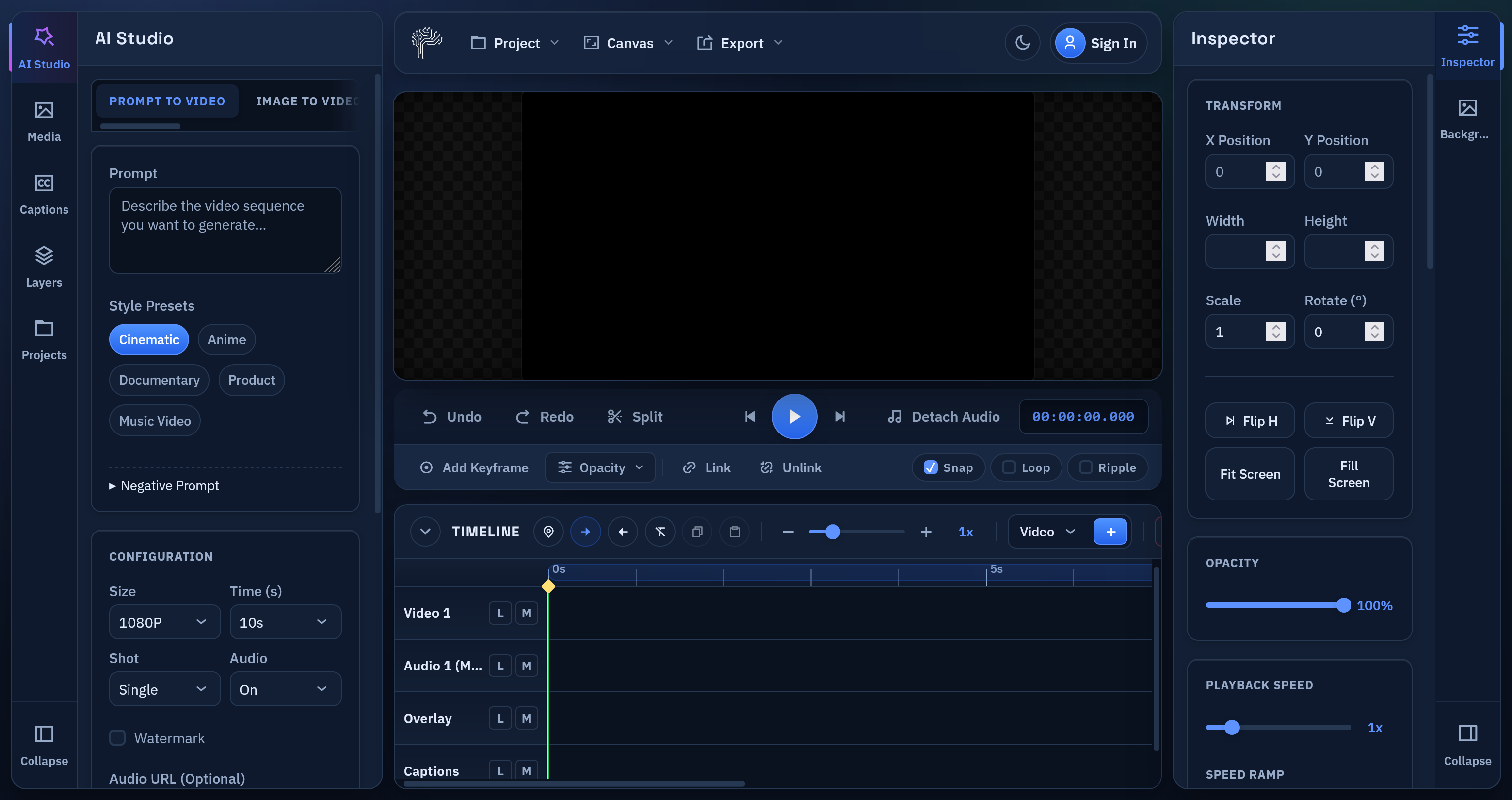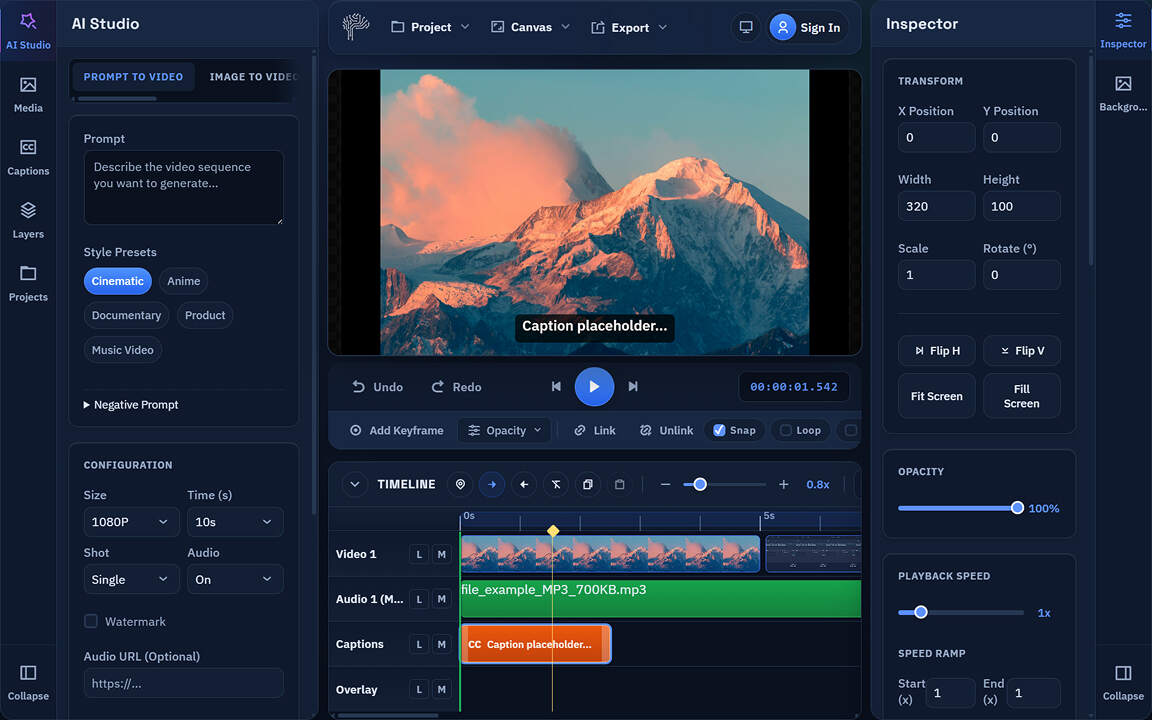
PixLab's Online Video Editor backed by WASM/WebGPU & WebAudio technolgies has reached an important milestone. The app now delivers a much stronger browser-based editing experience with a cleaner interface, smoother playback, better text tools, and a growing visual effects stack designed for short-form video work.
This update focuses on the fundamentals that matter most when people are editing Reels, Shorts, stories, and other fast-turnaround videos. The result is a video editor that is easier to use, more reliable on the timeline, and much more capable for creators who want polished output without installing desktop software.
You can try the editor here:
A Cleaner UI Built for Real Editing
The editing interface has been redesigned to reduce friction and keep the most important tasks obvious.
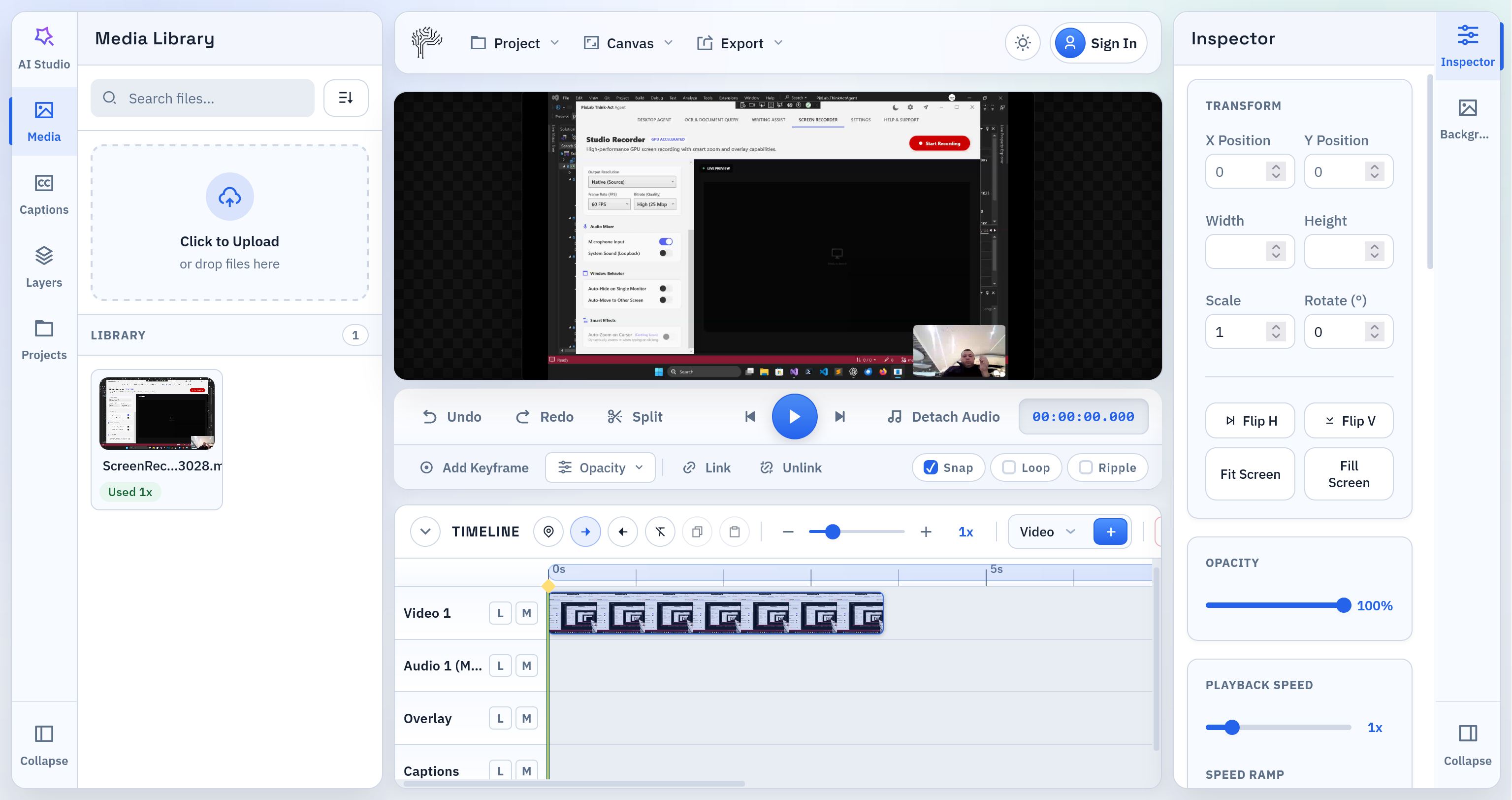
The current UI improvements include:
- a more polished workspace layout
- clearer separation between media, AI Studio, canvas, timeline, inspector, text, and effects
- a simpler path for importing video, making edits, and exporting
- a more focused right-side editing panel so text controls and effects no longer clutter the main inspector
The goal was straightforward: make it easier for a user to open a clip, make changes quickly, and export without fighting the interface.
New Text Overlay Workflow
Text overlays are now a real editing feature, not a basic add-on.
The editor now includes:
- a dedicated
Texttab for overlay creation and editing - direct text positioning on the canvas
- better text styling controls
- text background shapes
- transparent text background support
- stroke controls
- custom font upload
- live preview updates while editing
This makes PixLab much more useful for the kind of content people actually publish every day, including subtitles, hooks, lower thirds, title cards, and callout overlays.
Text Animation Presets
Text is no longer static by default. The editor now supports animation presets for overlays and captions, giving creators a faster way to add movement without manual keyframing.
Available animation presets include:
- Fade
- Pop In
- Bounce
- Slide Up
- Type On
These presets are especially useful for short-form video where timing, emphasis, and readability all matter in the first few seconds.
Custom Fonts for Brand and Style Control
PixLab Video Editor now supports local custom font uploads for text overlays.
That means creators can:
- use branded typography
- match client visual identity
- avoid being locked to a generic default font stack
Fonts stay local to the browser workflow and are tied into project persistence so users can continue editing with the same look and feel later.
New VFX and Effects Controls
The editor now includes a dedicated Effects workspace for clip-level visual adjustments and future VFX expansion.
The current effects set includes:
- brightness
- contrast
- saturation
- hue rotate
- blur
- sepia
- grayscale
- vignette
- sharpen
There are also quick presets for faster grading and look development:
- Clean
- Punchy
- Cinematic
- Noir
These effects are designed for practical video editing use cases rather than novelty. They help creators clean up footage, push style quickly, and get to a better result without leaving the browser.
Crop Controls for Social Video Framing
Basic crop controls are now included for video and image clips. This is important for adapting footage to short-form layouts and tighter compositions without forcing users into a full layout rebuild.
Combined with text overlays and canvas positioning, crop support makes it much easier to repurpose source footage for vertical and mobile-first formats.
A Better Timeline for Everyday Editing
The timeline has been significantly improved with a focus on simple, high-frequency actions.
Recent timeline improvements include:
- stronger trim behavior for clip starts and ends
- easier-to-grab trim handles
- a floating mini toolbar directly on selected clips
- trim start to playhead
- trim end to playhead
- split at playhead
- direct visual trimming on the timeline
- live trim feedback while dragging
- double-click edge trimming to the playhead
These changes make the most common cleanup tasks much easier, especially when removing the first few frames after hitting record or trimming the tail of a clip before export.
Linked Audio and Detach Audio Improvements
Audio handling on the timeline has also improved.
The editor now supports stronger linked clip behavior for video and detached audio, including:
- linked move
- linked trim
- linked split
- linked delete
- safer detach audio behavior
This helps the timeline behave more like a professional editor and reduces the friction of common editing operations where video and audio need to stay aligned.
Smoother Playback and More Reliable Canvas Preview
Playback was another major focus in this update. The canvas preview is now smoother, and audio playback is more stable thanks to better browser-side handling.
Behind the scenes, the editor now benefits from:
- improved media hydration when projects are reopened
- better handling of stored media assets
- smoother timeline updates during playback
- improved audio sync using a stronger playback path
This matters because creators need to trust what they see and hear before they export.
Export and Project Handling Improvements
The export path has been hardened so the editor behaves more reliably on real projects.
Recent improvements include:
- better asset persistence
- safer project save and reload behavior
- improved export handling for repeated media usage
- stronger frame seek behavior during export
- better handling of audio volume during export
These changes reduce the gap between preview and final output and make the editor safer to use on actual production work.
AI Studio Is Ready for the Next Phase
The AI Studio area in the interface is already in place and prepared for the upcoming backend integration. The current work has focused on making the core editor strong first, so that generated clips can drop into a workflow that already feels complete.
That means when AI video generation is fully connected, users will not be landing in a weak editor shell. They will be landing in a real browser-based video editor with text, effects, timeline controls, audio tools, and export already working together.
What This Update Means
This release is about maturity.
PixLab Online Video Editor is becoming a more capable short-form editing environment all for free with:
- better usability
- stronger playback
- improved export reliability
- richer text tools
- a dedicated effects pipeline
- cleaner editing workflows
If your work involves browser-based video editing, short-form content production, captions, overlays, or quick social edits, this update makes PixLab meaningfully more practical.
Try It
Open the app:
Learn more:
Read the tutorial:
More updates are coming, including backend-powered AI generation and a stronger AI jobs workflow. For now, the core editing foundation is in much better shape and ready for the next phase.