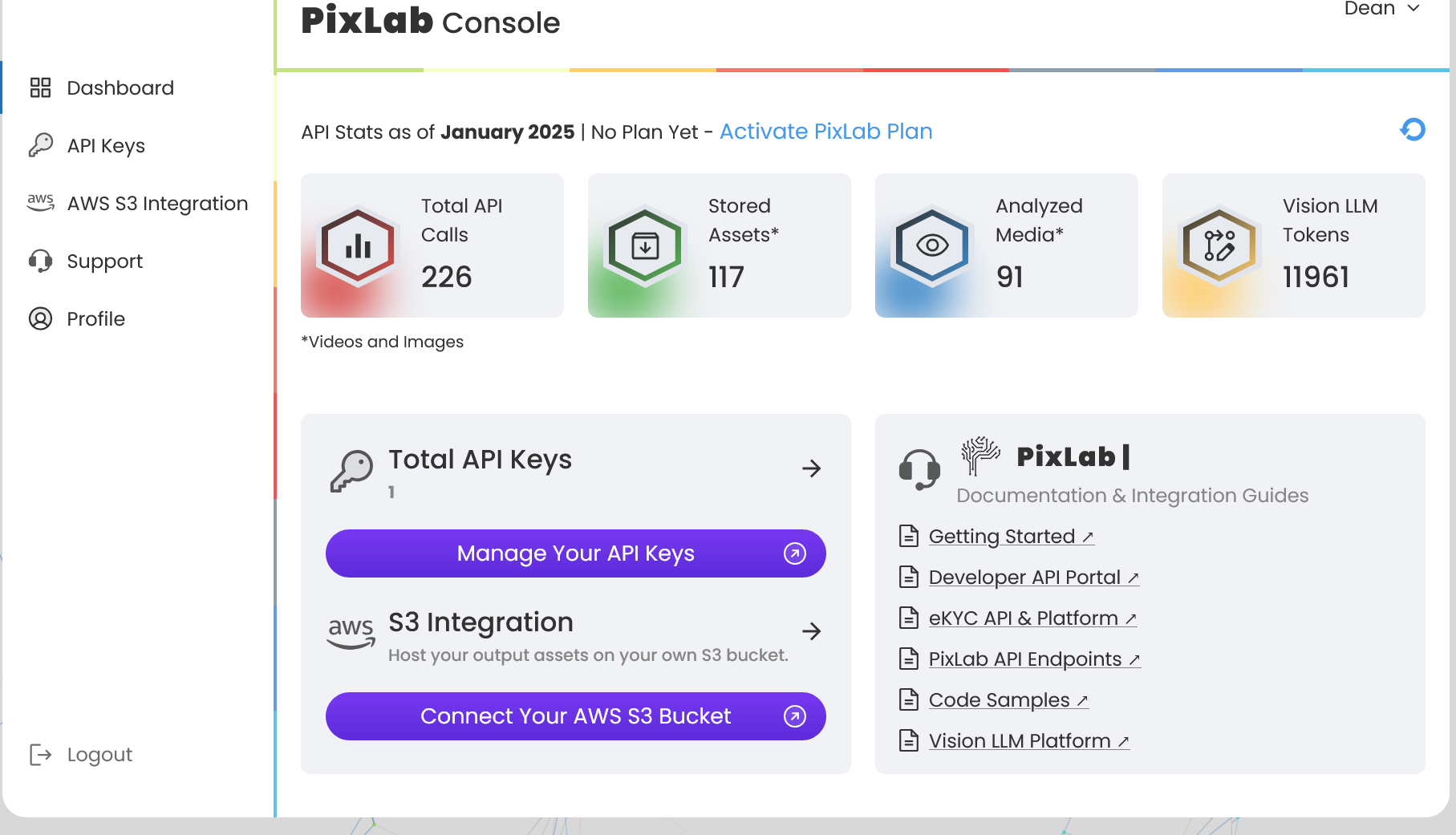
We’re thrilled to announce the new and improved PixLab Console, designed to give developers even more control and flexibility when working with PixLab’s AI-powered media processing APIs. This update brings a revamped user interface, powerful new features, and deeper integrations, making it easier than ever to manage your API usage, assets, and account settings.
🌟 What's New in the PixLab Console?
🔑 Enhanced API Key Management
Managing API keys is now simpler and more secure. The new API Key Management Section allows developers to:
- Generate, view, and manage API keys for different projects.
- Set custom usage limits for added security.
- Monitor API usage in real time.
☁️ AWS S3 Integration: Full Control Over Your Processed Assets
One of the most requested features is now here! The new AWS S3 integration lets you:
- Automatically store processed media in your own AWS S3 bucket for full control over your processed media assets. This feature is recommended for most customers using the eKYC ID Scanning API.
- Maintain full control over your assets instead of relying on temporary URLs.
- Streamline workflows by directly integrating PixLab’s API with your cloud storage solution.
👤 New Profile Section for Account Customization
A brand-new Profile Section makes it easier to manage your account settings, API access, and billing information. Stay in control of your credentials and subscription details from a single, intuitive interface.
📊 Revamped Main Dashboard
The PixLab Console has been redesigned to provide a cleaner, more intuitive experience. The new dashboard now includes:
- A real-time overview of API usage and quotas.
- Insights into recently processed media and API performance.
- Quick links to essential tools and documentation.
🛠 Upgraded Support Section
Need help? The revamped Support Section offers:
- A comprehensive knowledge base for troubleshooting and API documentation.
- A dedicated support ticketing system to get assistance directly from the PixLab team.
- A more streamlined experience for reporting issues and requesting new features.
🖥 Integration with Vision Platform Playground
The PixLab Console now seamlessly integrates with the Vision Platform, allowing developers to:
- Experiment with AI models before integrating them into production.
- Integrate PixLab API endpoints interactively.
- Preview AI-powered media transformations in real time.
🔧 Access to PixLab Online Tools
PixLab offers a suite of online tools for developers and non-developers alike. These tools, now integrated into the console, help with:
- Image enhancement and modification using state-of-the-art AI models.
- Face blurring and content moderation for privacy compliance.
- Vision Language Models (VLM) through the Vision Platform to Analyze, detect, and process images & video frames with advanced vision models.
🎉 Get Started Today!
The new PixLab Console is now live, and we can’t wait for you to try it out! Sign in to explore the latest features and take advantage of enhanced API management, cloud integration, and a brand-new developer experience.
🔗 Visit the new PixLab Console now: console.pixlab.io