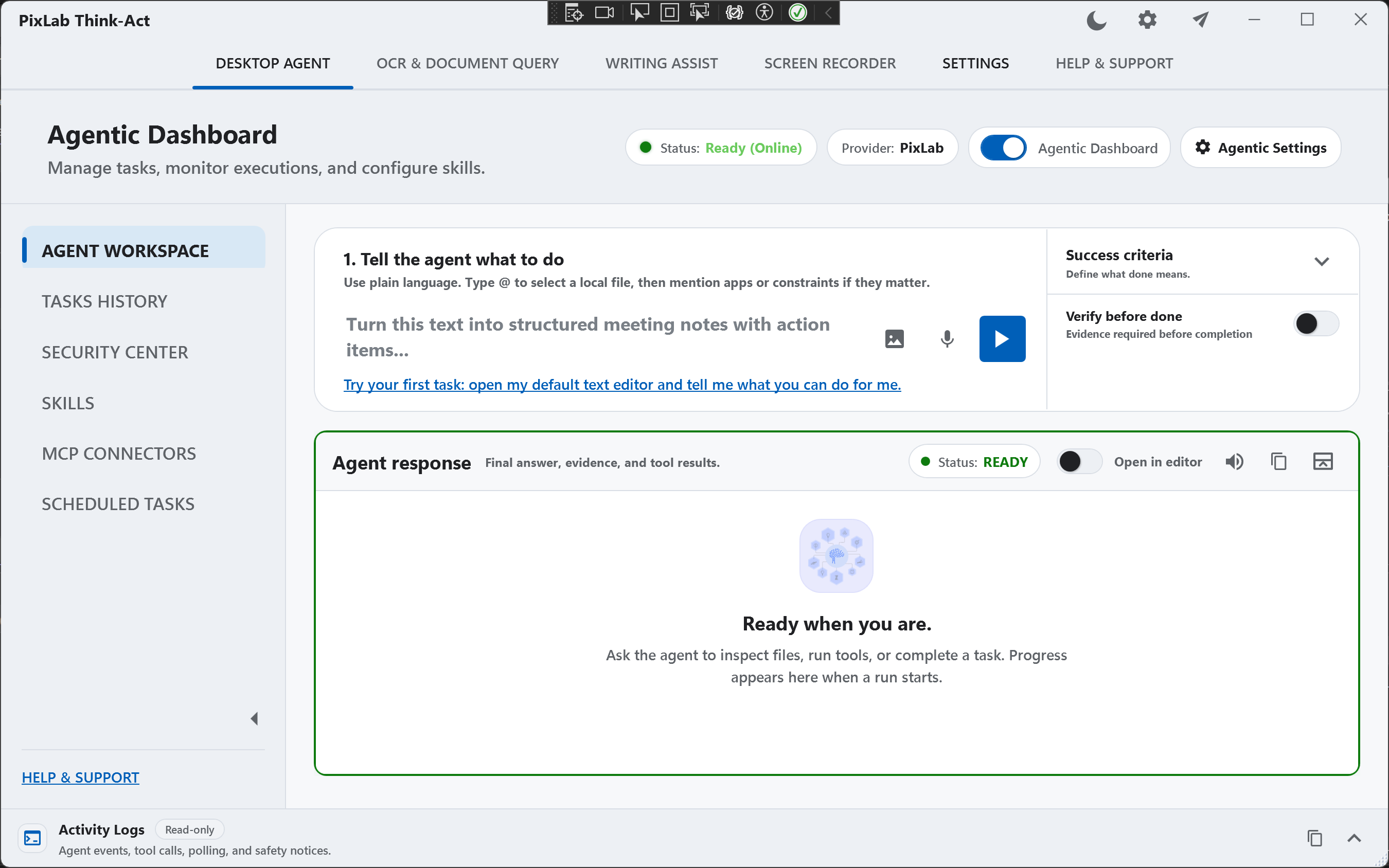
Meet PixLab's Agentic AI Desktop Workspace
We are pleased to announce the release of Think-Act for Windows, our new agentic AI desktop workspace built to bring AI directly into everyday desktop workflows.
Think-Act is available now for 64-bit Windows 10 and Windows 11 with an upcoming release to Mac Silicon in first quarter of 2027 and can be downloaded directly from PixLab or Microsoft Store.
Unlike a traditional AI chatbot that lives inside a browser tab, Think-Act is designed around the work already happening on your computer: documents, screenshots, selected text, recordings, files, and desktop applications.
The goal is simple: give users a practical AI workspace that can understand context, use tools, reason about multi-step tasks, and help complete real work without constantly moving information between unrelated applications.
An AI Agent Built for the Desktop
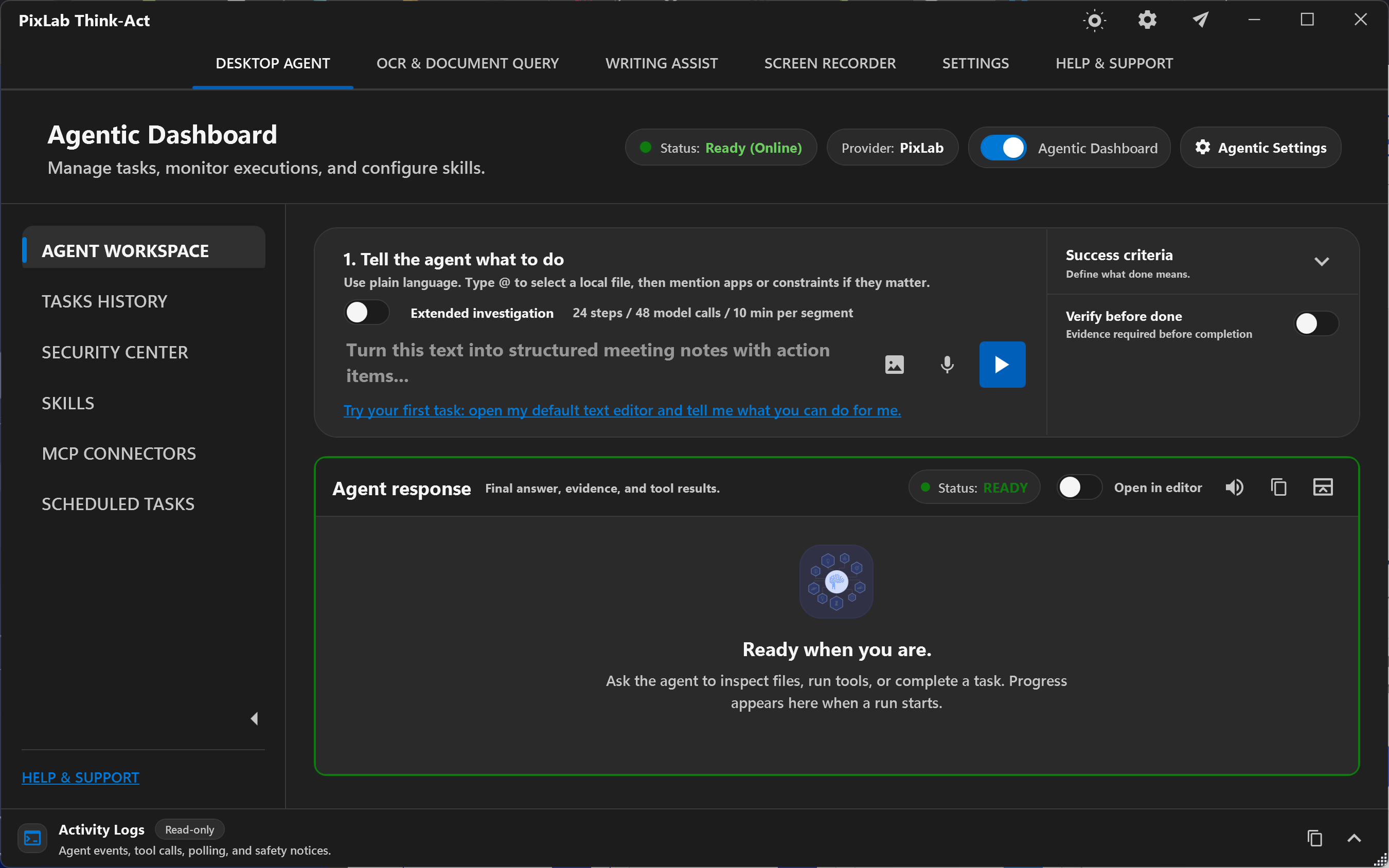
Think-Act combines several AI and productivity capabilities inside one Windows/Mac Native application.
The Desktop Agent can take a clearly defined task, work with the context you provide, use available tools and integrations, and coordinate multiple supported steps toward the requested result.
Instead of repeatedly copying information into an AI chat window, users can work directly with the material already in front of them.
Think-Act can use context such as:
- Local documents and PDFs
- Screenshots and images aided by built-in computer use tool
- Selected text from desktop applications
- OCR results
- Screen recordings and transcripts
- Files attached directly to a task
- Enabled local tools and integrations
This makes Think-Act useful for workflows that extend beyond simple question-and-answer interactions.
Writing Assistance Directly on Windows
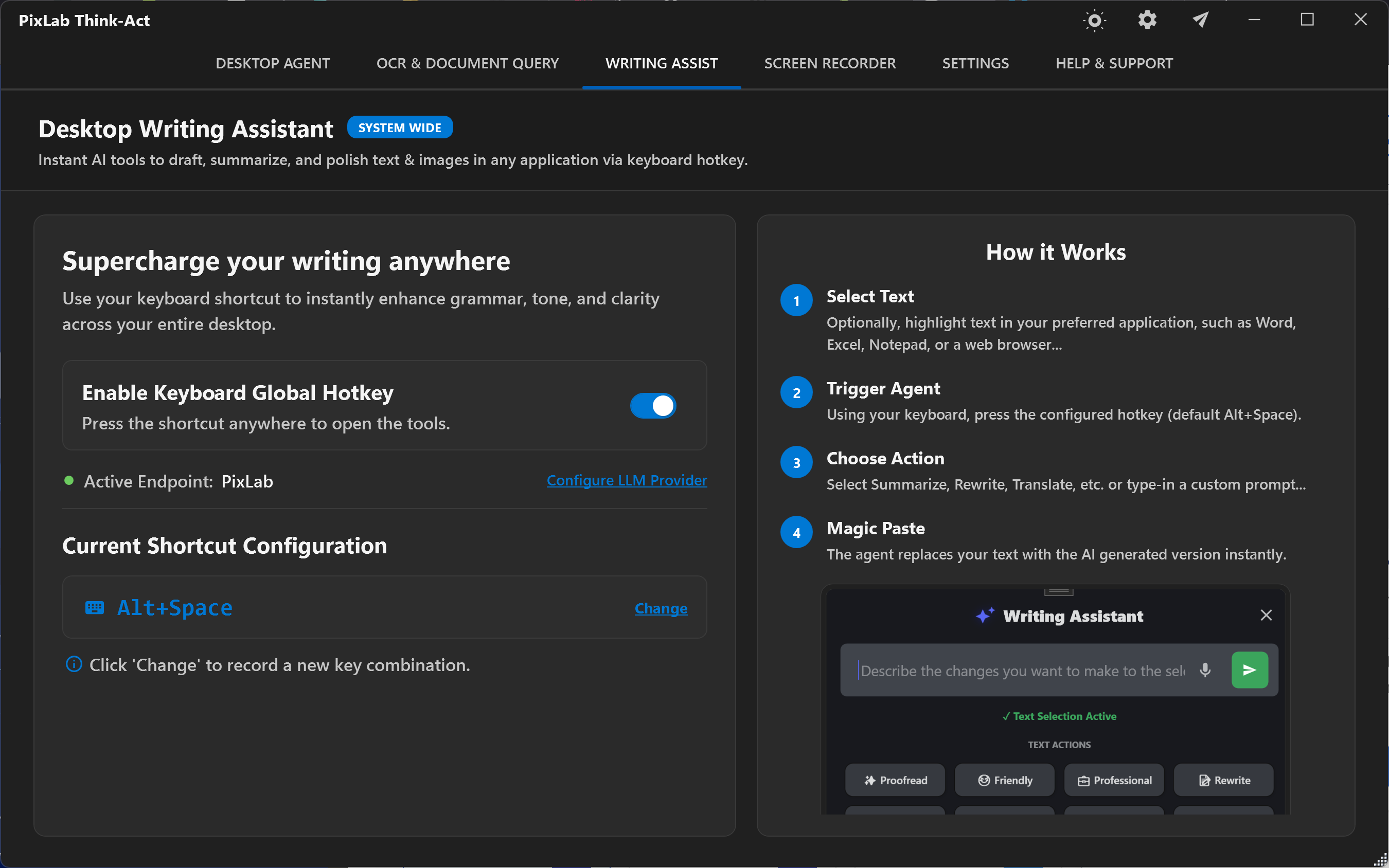
Think-Act includes an integrated AI Writing Assistant for everyday writing tasks that is available system-side, and can be called from your everyday productivity software like Excel, Word, etc. using a global keyboard hot-key shortcut (defaulted to ALT+Space).
Users can select or provide text and ask Think-Act to:
- Rewrite content
- Improve clarity
- Summarize long text
- Translate content
- Change tone
- Structure rough notes
- Draft new material
The writing tools can be used independently without launching a full agent workflow.
OCR and Document Intelligence
Documents are another major part of Think-Act Built-in OCR & Document Extraction capabilities.
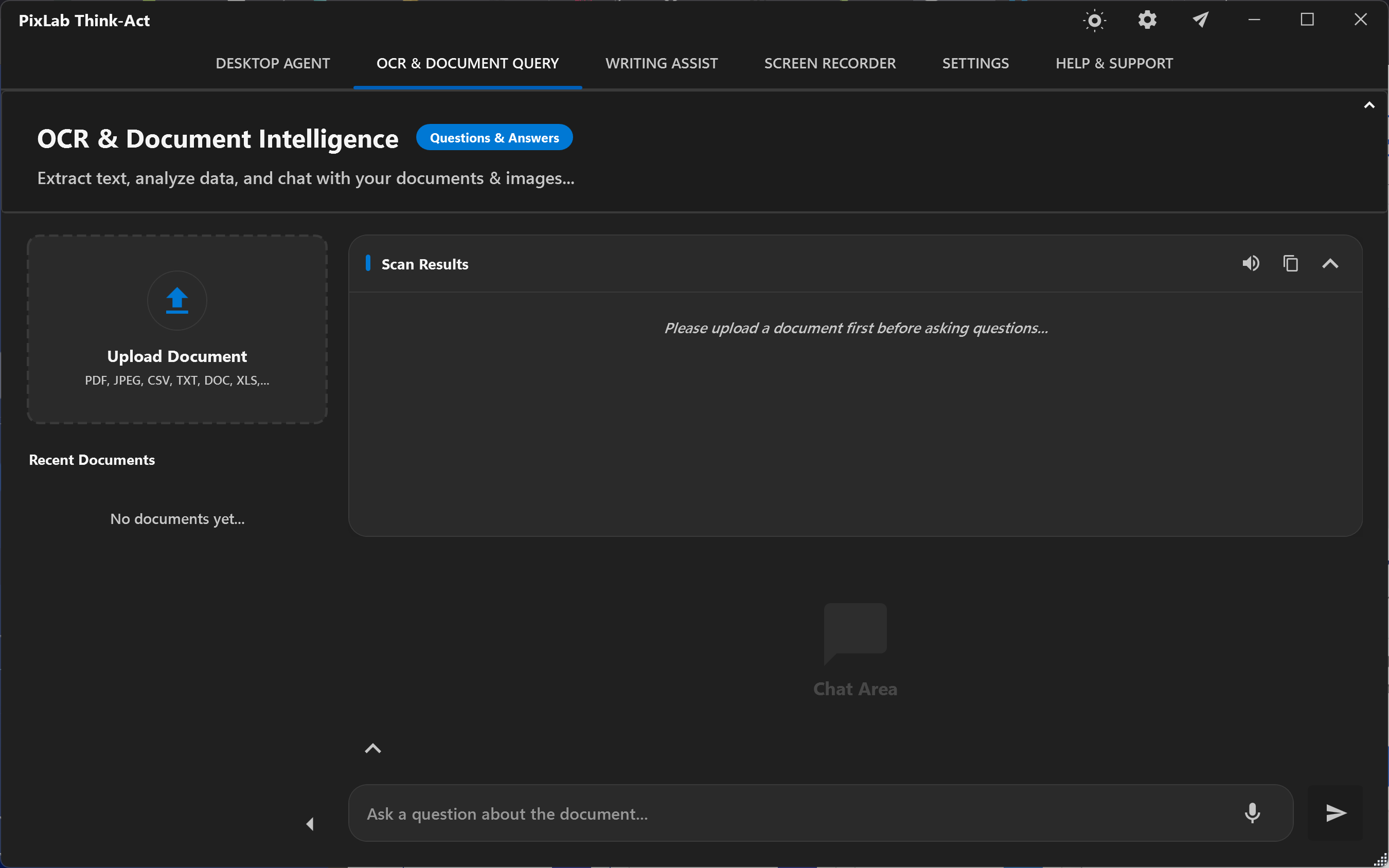
The application can extract and analyze information from PDFs, screenshots, scans, and images using PixLab's document intelligence and OCR technologies.
Extracted information can then become context for another operation.
For example, a user can extract information from a scanned document and immediately use those results when preparing a summary, report, email, or agent task.
This keeps document processing and AI reasoning inside the same workflow.
Screen Recording and Workflow Context
Think-Act also includes screen recording capabilities.
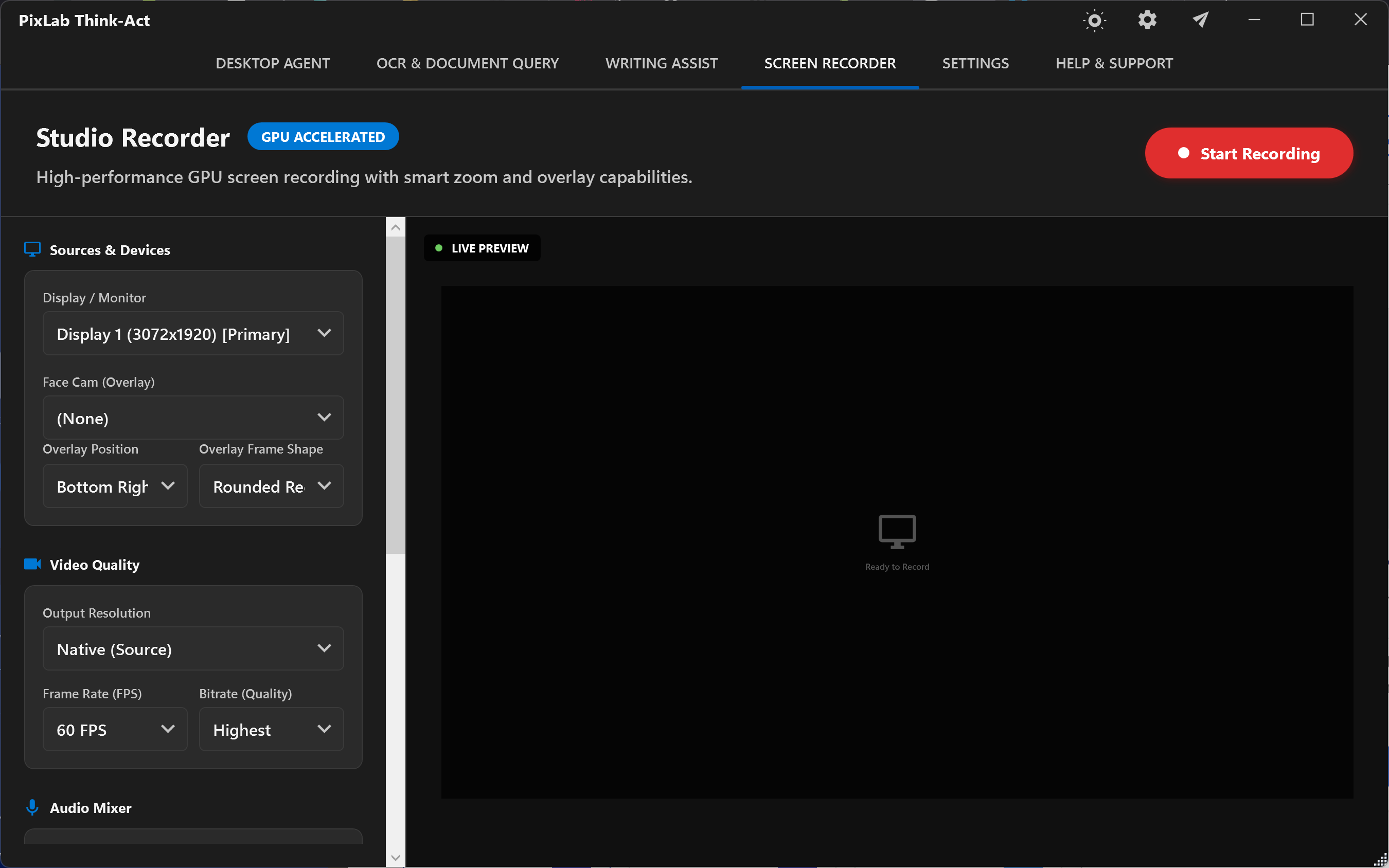
A recorded desktop workflow can be converted into reusable context, documentation, or the starting point for another AI-assisted task.
This is particularly useful for:
- Recording procedures
- Creating internal documentation
- Capturing software issues
- Preparing tutorials
- Documenting recurring workflows
- Building reusable processes
Local Skills and MCP Integrations
Think-Act supports the Model Context Protocol (MCP) for connecting compatible local tools and services.
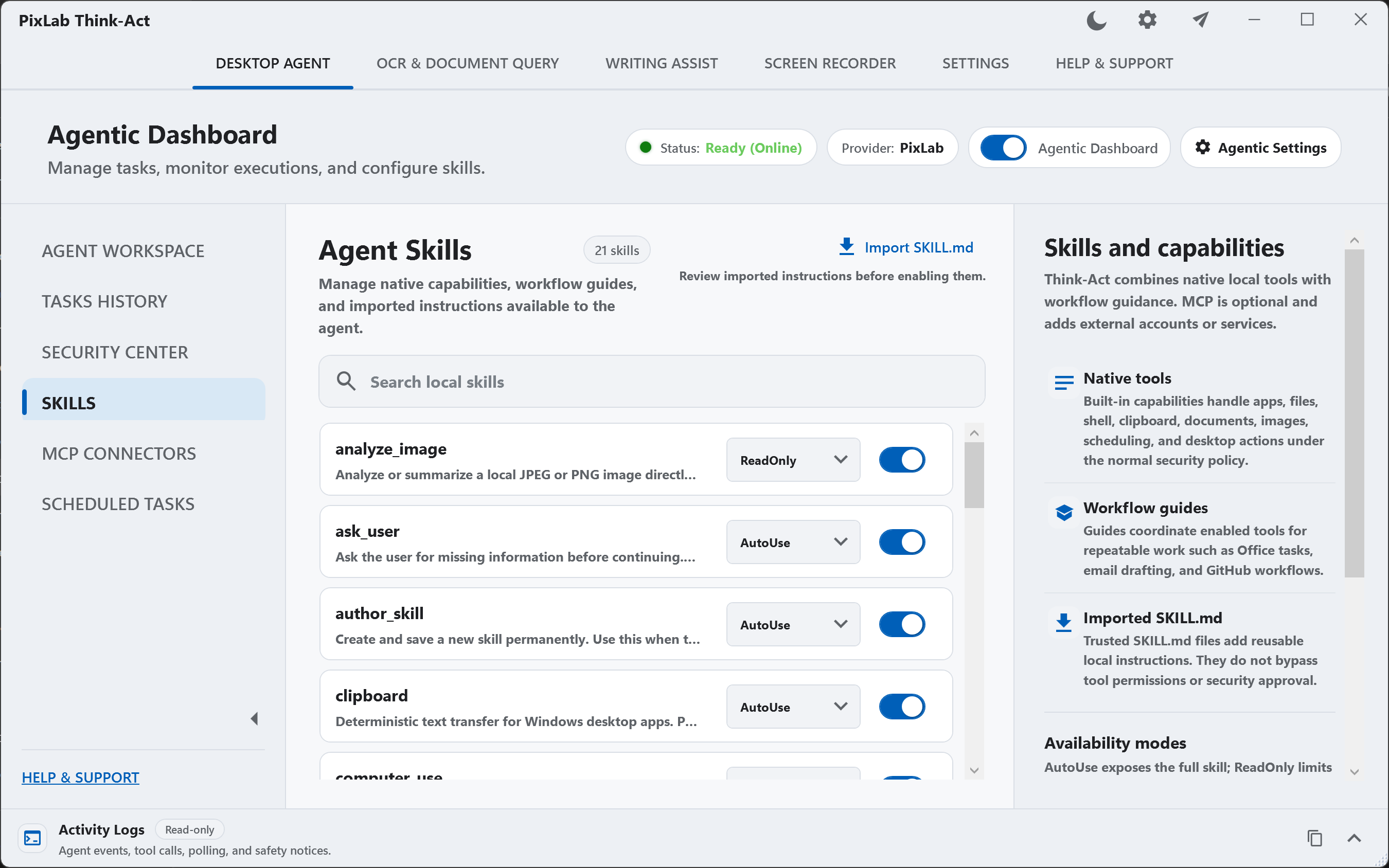 Users decide which connectors are installed and enabled.
Think-Act also supports reusable local Skills, allowing useful workflows and instructions to be saved and applied again when similar work appears.
Skills describe how a task should be approached, while connectors provide access to external tools.
Together, they allow Think-Act to move beyond a general AI assistant toward repeatable desktop automation.
Built Around User Control
Agentic software needs clear boundaries.
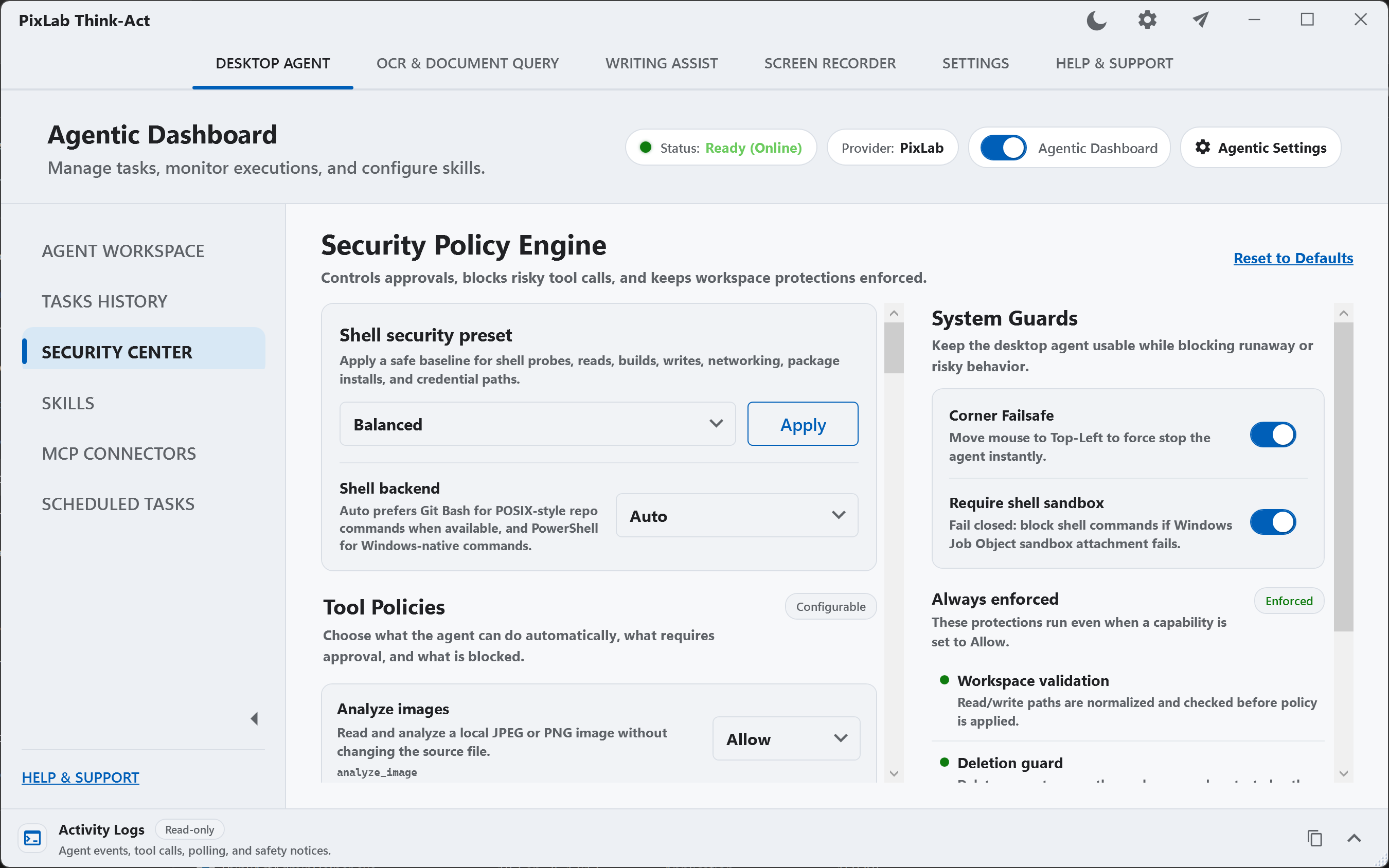
Think-Act is designed around explicit tool availability, permissions, reviewable execution, and approval controls.
Depending on the configured policy, an action can be:
- Allowed
- Sent to the user for approval
- Blocked
Users can inspect what happened during an agent workflow and review the final result before relying on it.
The objective is not to automate everything automatically.
It is to provide an AI desktop agent that can assist with meaningful work while keeping consequential actions under user control.
Think-Act for macOS Is Coming Next
Windows is only the beginning.
We are already developing a native macOS version of Think-Act, bringing the same desktop AI and agentic workflow experience to Mac users.
More information about the macOS release will be announced separately.
Download Think-Act for Windows
Think-Act is available now and free to install and try.
If your work regularly involves documents, writing, screenshots, OCR, desktop applications, repetitive processes, or multi-step AI tasks, Think-Act provides a new way to bring those capabilities together directly on your desktop.
- Download Think-Act: https://pixlab.io/think-act-desktop-agent/downloads
- Think-Act features: https://pixlab.io/think-act-desktop-agent/features
- Think-Act Desktop Agent: https://pixlab.io/think-act-desktop-agent/feature-desktop-agent
Welcome to Think-Act.