Blurry product photos and low-resolution campaign assets can interrupt an otherwise automated publishing workflow. Today, PixLab is expanding its image-processing toolkit with two new REST endpoints: the Image Deblur API and the Image Upscale API.
Developers can now add photo deblurring, image enhancement, and 2x upscaling to applications used by marketing teams, ecommerce businesses, creative agencies, and publishers. Upload an image or submit its public URL, then incorporate the processed result into your existing workflow.
Both endpoints are available starting with the Starter plan. Get your API key from the PixLab Console or compare PixLab plans and pricing.
Image Deblur API: Reduce Motion Blur in Photos
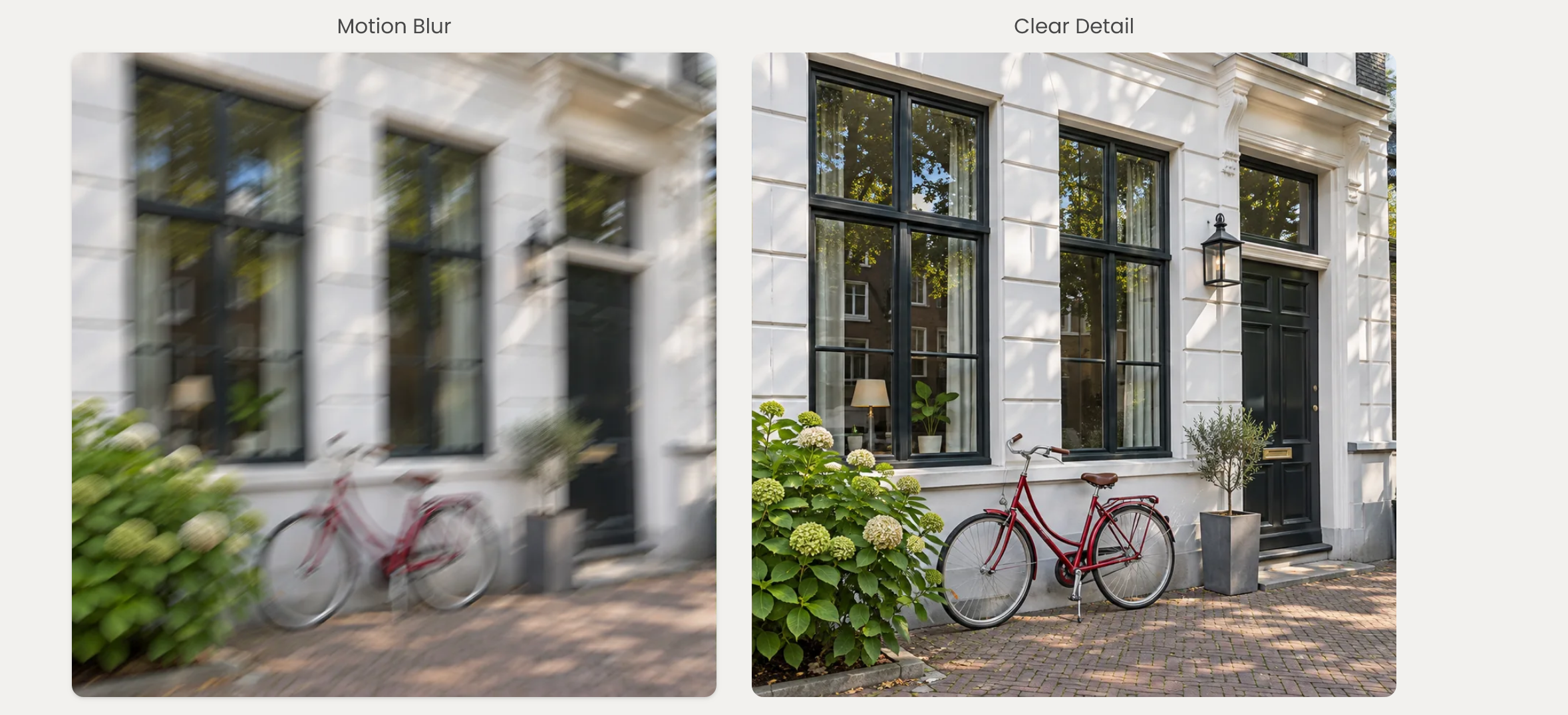
The PixLab Image Deblur API reduces motion blur and camera shake in photographs without changing their original dimensions. It is designed for workflows where a photo needs clearer detail, rather than a larger canvas.
Call the DEBLUR endpoint to process product photography, property listings, campaign images, or other photos in your application. No image mask, bounding box, or text prompt is required.
For marketing teams, this means adding a restoration step before reviewing event photography or lifestyle images for publication. Ecommerce platforms can apply the same process to blurred supplier photos, while real estate teams can prepare camera-shaken interior and exterior images for their listings.
Explore the Image Deblur API documentation and code examples for request parameters and integration details.
Image Upscale API: Enlarge Photos 2x or Enhance at Original Size
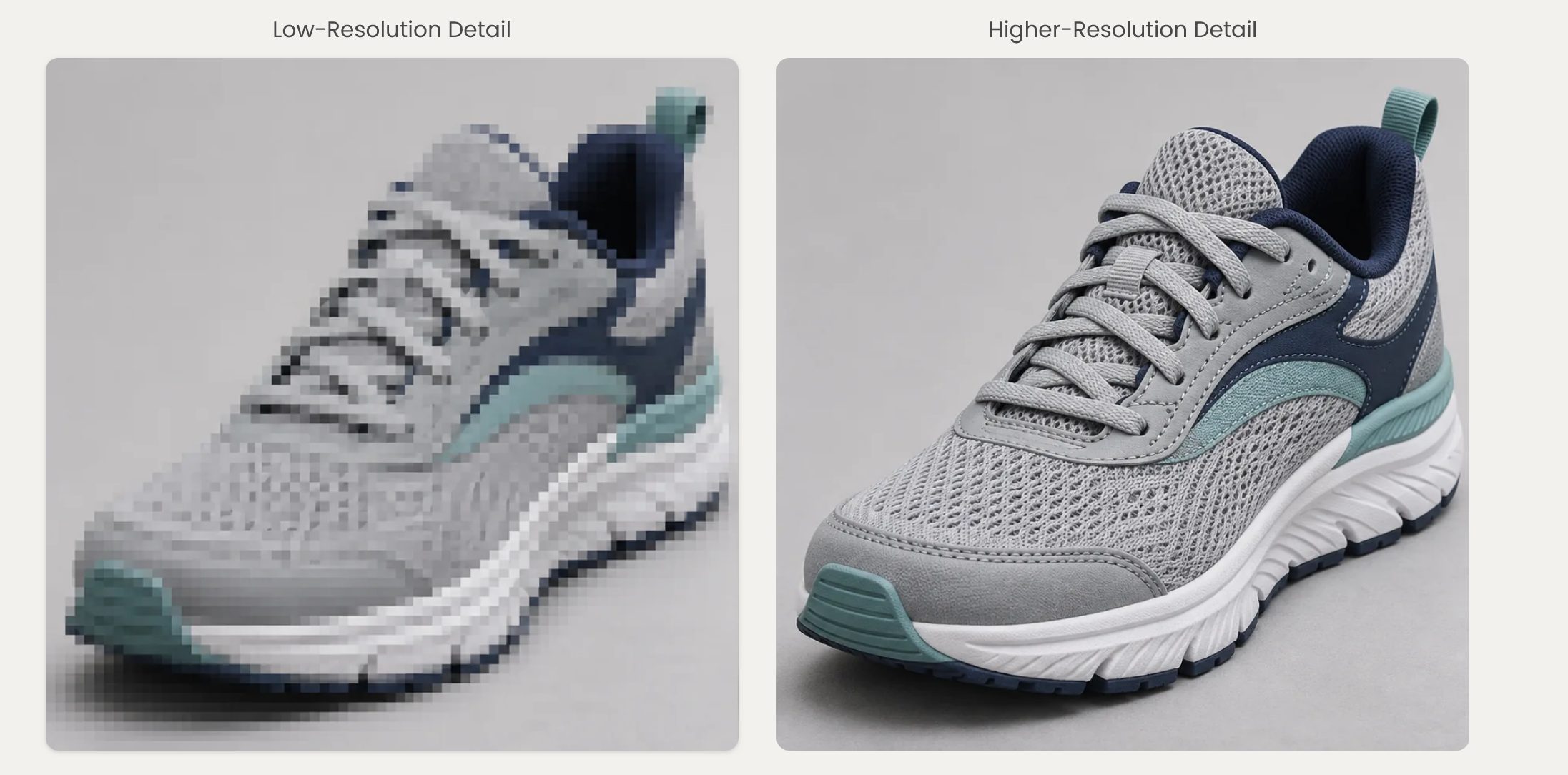
The PixLab Image Upscale API provides AI image enhancement and super-resolution through the UPSCALE endpoint.
- 2x upscaling: double the image's width and height while preserving its aspect ratio. A 1000 by 750 pixel image becomes 2000 by 1500 pixels.
- Original-size enhancement: use
scale=1to enhance an image without enlarging it.
The default scale=2 mode is useful when small product photos need to fit larger galleries or campaign layouts. Original-size enhancement is an alternative when your publishing workflow already has the dimensions it needs.
Unlike ordinary resizing, AI upscaling estimates additional detail from image patterns. It can create a clearer-looking enlargement, but it cannot guarantee recovery of information missing from the source.
See the Image Upscale API documentation for supported parameters, output options, and examples in Python, JavaScript, PHP, and Ruby.
Built for Marketing Teams, Ecommerce, and Creative Workflows
These endpoints fit into the systems your team already uses. Developers can integrate them into a product catalog, content management system, digital asset library, or custom photo-editing application.
- Marketing teams: prepare photography for social media posts, email newsletters, landing pages, and campaign updates.
- Ecommerce and marketplaces: process supplier and seller photos for product detail pages, catalog imports, and larger image galleries.
- Creative agencies: add deblurring or enhancement to client asset preparation before design and approval.
- Real estate and hospitality: improve the presentation of property and accommodation photos while retaining their proportions.
- Publishers and SaaS platforms: integrate image restoration and enlargement into editorial, upload, and editing workflows.
For bulk processing, submit one image per request and distribute work through your existing queue. Keep concurrency within your account's rate limits, and review important assets before publication. Contact PixLab to discuss sustained high-volume requirements.
Extend Your Existing PixLab Image-Processing Workflow
Deblurring and upscaling complement PixLab's existing image-cleanup endpoints:
- The Background Removal API isolates subjects and produces transparent cutouts for product listings, campaign compositions, and branded layouts.
- The Text and Watermark Removal API removes captions, labels, timestamps, and permitted watermarks from images you own or are authorized to modify.
Use each endpoint independently, or combine only the operations a particular asset needs. For example, an ecommerce application might enlarge a small product photo, while a marketing workflow might remove an outdated authorized text overlay before preparing new campaign copy.
Available Starting with the Starter Plan
You do not need an Enterprise subscription to get started. Image Deblur and Image Upscale are available from the PixLab Starter plan, with usage subject to your plan's allowance and account limits.
Review the PixLab pricing page to choose the plan that fits your workload. You can manage your API key and monitor usage in the PixLab Console.
Start Building
- Sign in to the PixLab Console and get your API key.
- Choose the Image Deblur API for motion blur, or the Image Upscale API for enlargement and enhancement.
- Submit a representative image using a file upload or public URL.
- Compare the result with the original, then integrate the endpoint into your application.
Image quality still depends on the source. Severe blur, heavy compression, and missing detail can limit restoration. Keep original files and review product labels, faces, logos, and fine textures before publishing processed images.