Introducing PixLab's Image Deblur and Image Upscale APIs

Blurry product photos and low-resolution campaign assets can interrupt an otherwise automated publishing workflow. Today, PixLab is expanding its image-processing toolkit with two new REST endpoints: the Image Deblur API and the Image Upscale API.

Developers can now add photo deblurring, image enhancement, and 2x upscaling to applications used by marketing teams, ecommerce businesses, creative agencies, and publishers. Upload an image or submit its public URL, then incorporate the processed result into your existing workflow.

Both endpoints are available starting with the Starter plan. Get your API key from the PixLab Console or compare PixLab plans and pricing.

Image Deblur API: Reduce Motion Blur in Photos
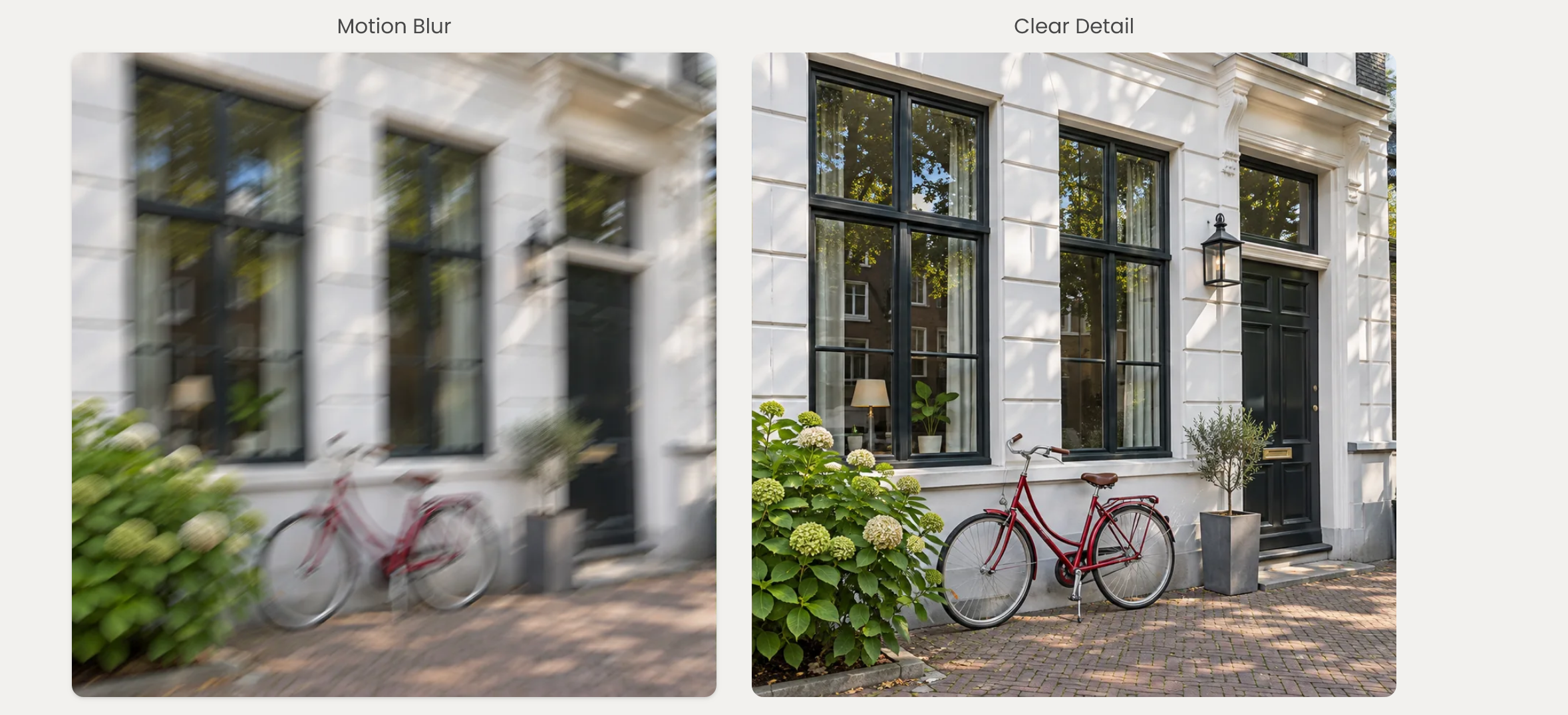
DEBLUR API

The PixLab Image Deblur API reduces motion blur and camera shake in photographs without changing their original dimensions. It is designed for workflows where a photo needs clearer detail, rather than a larger canvas.

Call the DEBLUR endpoint to process product photography, property listings, campaign images, or other photos in your application. No image mask, bounding box, or text prompt is required.

For marketing teams, this means adding a restoration step before reviewing event photography or lifestyle images for publication. Ecommerce platforms can apply the same process to blurred supplier photos, while real estate teams can prepare camera-shaken interior and exterior images for their listings.

Explore the Image Deblur API documentation and code examples for request parameters and integration details.

Image Upscale API: Enlarge Photos 2x or Enhance at Original Size
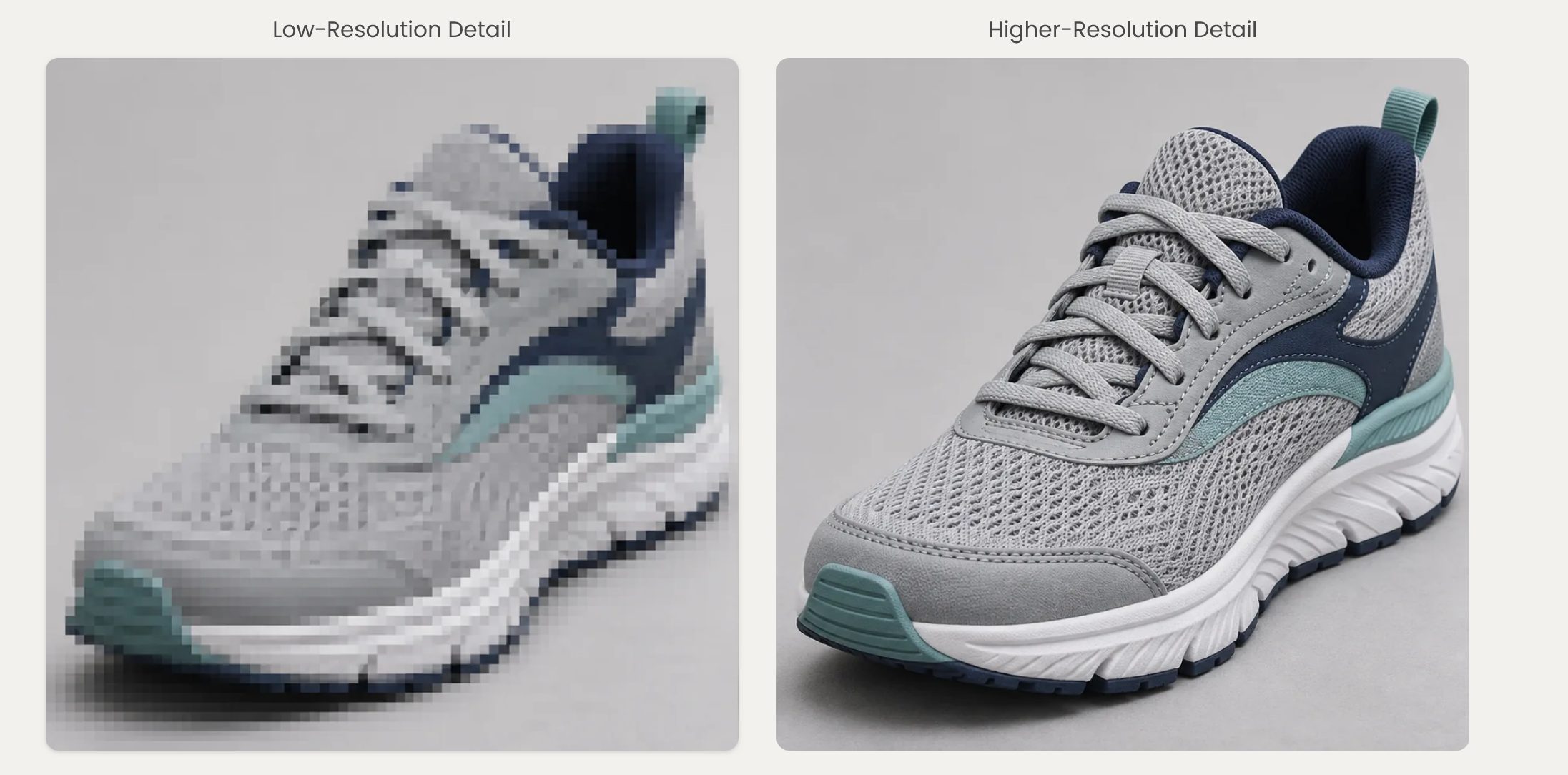
UPSCALE endpoint

The PixLab Image Upscale API provides AI image enhancement and super-resolution through the UPSCALE endpoint.

  • 2x upscaling: double the image's width and height while preserving its aspect ratio. A 1000 by 750 pixel image becomes 2000 by 1500 pixels.
  • Original-size enhancement: use scale=1 to enhance an image without enlarging it.

The default scale=2 mode is useful when small product photos need to fit larger galleries or campaign layouts. Original-size enhancement is an alternative when your publishing workflow already has the dimensions it needs.

Unlike ordinary resizing, AI upscaling estimates additional detail from image patterns. It can create a clearer-looking enlargement, but it cannot guarantee recovery of information missing from the source.

See the Image Upscale API documentation for supported parameters, output options, and examples in Python, JavaScript, PHP, and Ruby.

Built for Marketing Teams, Ecommerce, and Creative Workflows

These endpoints fit into the systems your team already uses. Developers can integrate them into a product catalog, content management system, digital asset library, or custom photo-editing application.

  • Marketing teams: prepare photography for social media posts, email newsletters, landing pages, and campaign updates.
  • Ecommerce and marketplaces: process supplier and seller photos for product detail pages, catalog imports, and larger image galleries.
  • Creative agencies: add deblurring or enhancement to client asset preparation before design and approval.
  • Real estate and hospitality: improve the presentation of property and accommodation photos while retaining their proportions.
  • Publishers and SaaS platforms: integrate image restoration and enlargement into editorial, upload, and editing workflows.

For bulk processing, submit one image per request and distribute work through your existing queue. Keep concurrency within your account's rate limits, and review important assets before publication. Contact PixLab to discuss sustained high-volume requirements.

Extend Your Existing PixLab Image-Processing Workflow

Deblurring and upscaling complement PixLab's existing image-cleanup endpoints:

  • The Background Removal API isolates subjects and produces transparent cutouts for product listings, campaign compositions, and branded layouts.
  • The Text and Watermark Removal API removes captions, labels, timestamps, and permitted watermarks from images you own or are authorized to modify.

Use each endpoint independently, or combine only the operations a particular asset needs. For example, an ecommerce application might enlarge a small product photo, while a marketing workflow might remove an outdated authorized text overlay before preparing new campaign copy.

Available Starting with the Starter Plan

You do not need an Enterprise subscription to get started. Image Deblur and Image Upscale are available from the PixLab Starter plan, with usage subject to your plan's allowance and account limits.

Review the PixLab pricing page to choose the plan that fits your workload. You can manage your API key and monitor usage in the PixLab Console.

Start Building

  1. Sign in to the PixLab Console and get your API key.
  2. Choose the Image Deblur API for motion blur, or the Image Upscale API for enlargement and enhancement.
  3. Submit a representative image using a file upload or public URL.
  4. Compare the result with the original, then integrate the endpoint into your application.

Image quality still depends on the source. Severe blur, heavy compression, and missing detail can limit restoration. Keep original files and review product labels, faces, logos, and fine textures before publishing processed images.
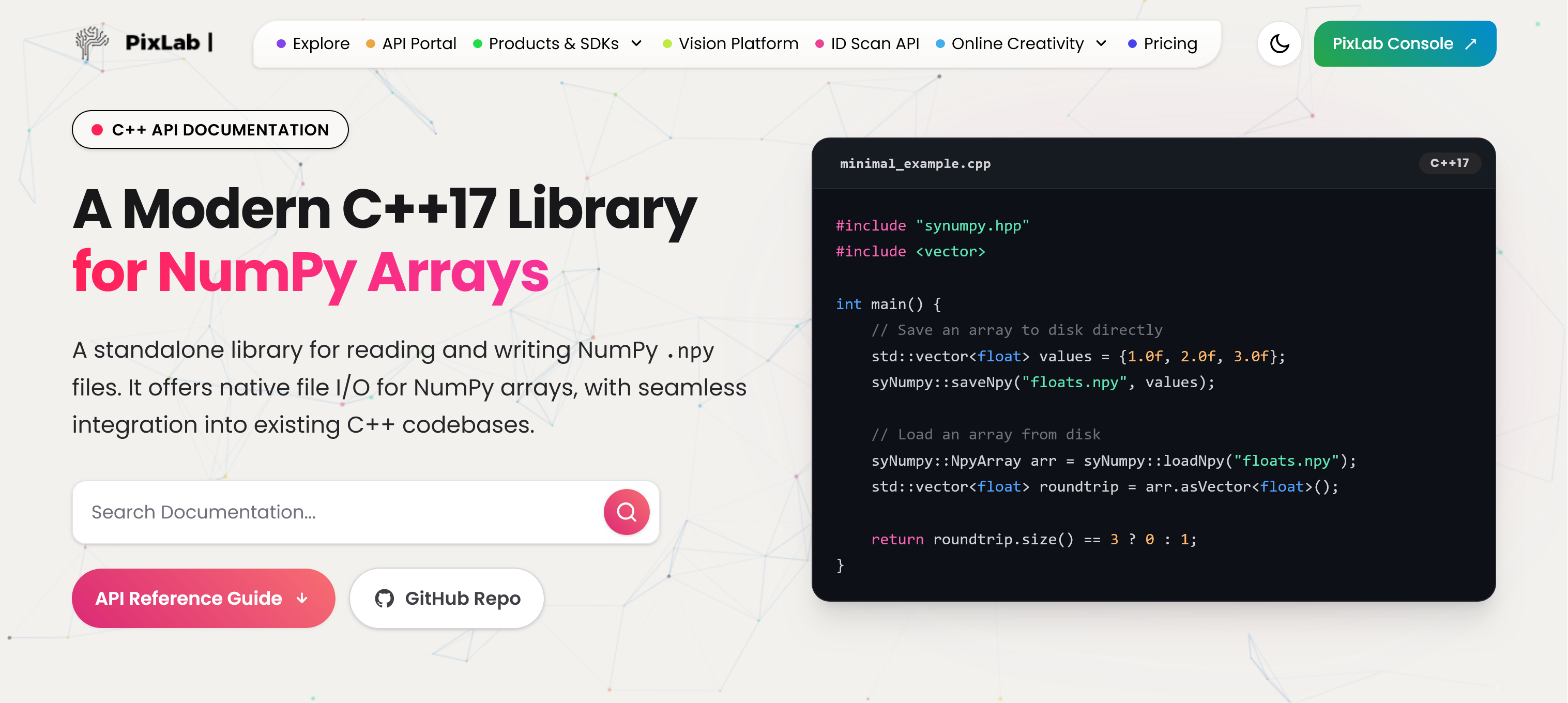
Introducing SyNumpy: A Standalone C++17 Library for Woking with Numpy Files and Arrays

enter image description here

At PixLab and Symisc Systems, we build systems that move data between native C++ code and Python-based machine learning workflows. In practice, that often means dealing with NumPy array files.

Today, we are open-sourcing syNumpy, a standalone C++17 library for reading and writing NumPy .npy files.

syNumpy is designed to be simple to integrate, easy to understand, and reliable in production. It gives native applications a clean way to exchange numerical arrays with Python tooling without dragging in a heavy dependency stack.

Why We Built It

In computer vision, facial analysis, visual search, OCR, and document processing, moving tensors and feature vectors across systems is routine. NumPy’s .npy format is a practical interchange format, but using it directly from C++ often means either relying on outdated code, pulling in more infrastructure than needed, or maintaining internal glue code.

We wanted something better:

  • modern C++17
  • small and focused API surface
  • easy vendoring into existing projects
  • explicit validation and predictable failures
  • production-ready .npy support without unnecessary complexity

That became syNumpy.

Production-Tested Inside FACEIO and PixLab

syNumpy is not a toy project or a throwaway utility. It is used internally by FACEIO for facial feature extraction workflows and by PixLab / Symisc Systems across production systems tied to visual search, document processing, and identity-document scanning.

That includes internal workflows behind:

That production use shaped the library directly. The goal was not to ship a bloated abstraction layer. The goal was to ship something dependable.

What syNumpy Provides

syNumpy focuses on doing one thing well: reading and writing NumPy .npy arrays from modern C++.

Current highlights include:

  • support for NumPy .npy files
  • a standalone C++17 implementation
  • a compact API centered around:
    • syNumpy::NpyArray
    • syNumpy::loadNpyBuffer()
    • syNumpy::loadNpy()
    • syNumpy::saveNpyRaw()
    • typed syNumpy::saveNpy() overloads
  • append mode support for compatible arrays
  • strict validation of malformed headers and truncated payloads
  • explicit runtime failures through syNumpy::Error

The core parser entry point is syNumpy::loadNpyBuffer(), which makes the library useful in embedded, memory-mapped, or network-driven workflows where the file is already available in memory.

Integration Is Intentionally Simple

One of the main design goals was frictionless integration.

The easiest way to use syNumpy is to add these two files directly to your codebase:

  • synumpy.hpp
  • synumpy.cpp

Compile them with your existing C++17 target and you are done.

No service layer. No code generator. No large runtime dependency stack.

The repository also includes a CMakeLists.txt and a simple Makefile, but the direct drop-in path is the intended fast path for most teams.

Minimal Example

#include "synumpy.hpp"
#include <vector>

int main() {
    std::vector<float> values = {1.0f, 2.0f, 3.0f};

    syNumpy::saveNpy("floats.npy", values);

    syNumpy::NpyArray arr = syNumpy::loadNpy("floats.npy");
    std::vector<float> roundtrip = arr.asVector<float>();

    return roundtrip.size() == 3 ? 0 : 1;
}

A Better Fit for Native ML and Vision Pipelines

There is a practical gap between Python-first tooling and production-grade native applications. syNumpy is meant to help close that gap.

If your system is already in C++, but your models, offline tooling, embeddings, or data-preparation steps live in Python and NumPy, having a straightforward .npy bridge matters. That is especially true in machine vision and identity workflows, where performance, reliability, and integration simplicity matter more than abstraction for abstraction’s sake.

Open Source and Licensing

syNumpy is released under the BSD 3-Clause License.

You can explore the project here:

Thoughts

We are releasing syNumpy because it solves a real problem we face in production, and because we think the wider C++ and machine vision community can benefit from a small, modern, well-scoped NumPy .npy library.

If you are building native AI, ML, OCR, document-analysis, or vision systems and need a direct bridge to NumPy arrays, syNumpy is built for exactly that use case.

Explore the New PixLab Vision Platform VLM API Endpoints

PixLab’s Vision VLM Platform introduces a groundbreaking set of Vision Language Model (VLM) endpoints that combine natural language processing and computer vision in a simple, developer-friendly API suite.

PixLab Vision Platform

From querying images and parsing complex documents to generating PDFs and extracting ID data, the PixLab VLM API makes it easy to integrate intelligent image and document analysis into your own apps.


Vision Language Model Endpoints

These endpoints allow your application to understand images and video frames with natural language intelligence.

  • /query – Ask natural language questions about images and receive contextual answers
  • /describe – Get a natural language description of an image
  • /tagimg – Retrieve tags describing the image content
  • /detect – Detect and localize objects in the image
  • /vocr – OCR via vision models for printed text
  • /nsfw – Detect explicit content in media

Unstructured Document Parsing

Parse unstructured documents like invoices, receipts, and contracts using VLM-powered tools.

  • /llm-parse – Extract data from complex document layouts using a user-defined schema

Embedding APIs

Turn your content into machine-understandable vectors for search, indexing, and matching.

  • /txt-embed – Generate semantic embeddings from raw text
  • /img-embed – Generate vector embeddings from images

These endpoints are perfect for building your own AI-powered similarity search or recommendation systems.


Image Processing & Background Removal

PixLab also provides classic computer vision capabilities enhanced by AI.

  • /bg-remove – Remove background or unwanted objects from images
  • /docscan – Scan and extract JSON data from over 11,000 supported ID document types from 200+ countries
  • /nsfw – Pixelate or block NSFW content automatically

PDF Generation & Conversion

Create and manipulate PDF documents programmatically using these SDK-free endpoints:

  • /pdfgen – Generate media-rich PDFs from HTML or Markdown
  • /pdftoimg – Convert PDF files into image previews

LLM Tool Calling Infrastructure

PixLab provides built-in tools for enhancing your LLM pipeline:

  • /llm-tool – Get a list of tools callable from your LLM
  • /tool-call – Execute a tool call based on LLM output

These endpoints enable your LLM agent to execute functions dynamically and return results within the same context.


System Tools & Metadata

Helpful utility endpoints for checking server health and supported formats:

  • /status – View current system status
  • /about – Get PixLab version & license info
  • /extension – Retrieve supported file extensions

Explore the Full API Suite

PixLab offers over 150 RESTful endpoints for vision, media, and document automation tasks. Visit the following links to dive deeper:


Final Thoughts

Whether you're working on an AI productivity suite, eKYC onboarding, or document automation pipeline, PixLab’s VLM API delivers powerful, production-ready tools in minutes. All endpoints are accessible via secure HTTP requests and require no proprietary SDKs.

Get started by signing up for an API key at PixLab Console and explore what's possible with Vision Language Models.

Build smarter apps — faster.

PixLab’s New Single Shot Livesness, Face Anti-Spoof & Deep-Fake Detector Model: Revolutionizing Face Authentication

What is Livesness Detection and Face Anti-Spoofing?

  • Livesness detection introduced in late 2023 and already integrated and available to FACEIO customers, also known as face anti-spoofing, is a security feature that ensures that the person being authenticated is a living human being and not a photo, video, or mask.
  • This feature is crucial in preventing unauthorized access to sensitive information and systems.
  • However, livesness detection can be challenging to implement, as it imposes severe restrictions during authentication.
    • For example, users are not allowed to have a smartphone, laptop, or LCD screen behind them during the authentication process.
    • If any of these devices are detected, the authentication process is aborted, and an PAD_ATTACK error code is raised instead.

Example of Spoof ATTACKS deterred by our ML new model Livesness Detection Example

PixLab's New Single Shot Liveness, Face Anti-Spoof & Deep-Fake Detector Model To the Rescue

  • PixLab, a leading provider of AI-powered face authentication & Age Verification solutions, has recently released a new single shot livesness, face anti-spoofing, and deep-fake detector model for FACEIO.
  • This innovative model is designed to provide enhanced security and accuracy in face authentication, making it an essential tool for businesses and individuals alike.
    • One of the key features of this model is its ability to detect faces in a single shot, without requiring multiple images or video frames.
    • This makes the authentication process faster and more convenient for users, while still maintaining a high level of security.
    • In addition, this model is highly accurate and can detect even the most sophisticated face spoofing attacks, including those that use 3D masks and other advanced techniques.
    • This makes it an ideal solution for businesses and organizations that require a high level of security and accuracy in their face authentication systems. Customers are already invited to try out the new face Anti-Spoofing model directly within the FACEIO Widget!

Conclusion

  • PixLab's new single shot livesness, face anti-spoofing, and deep-fake detector model is a game-changer in the world of face authentication.
  • With its advanced AI algorithms and highly accurate detection capabilities, this model provides enhanced security and convenience for users, while still maintaining a high level of accuracy and reliability.
  • As the use of face recognition technology continues to grow, it is essential to have advanced solutions like PixLab's new model to ensure the security and privacy of our personal information.
  • Whether you are a business owner or an individual user, this model is an essential tool for anyone who values security and convenience in their face authentication systems.

fio.js V2.1 Released with Age Verification & Minors Access Restriction

The FACEIO Development Team is thrilled to announce the immediate availability of fio.js V2.1, our cutting-edge Facial Recognition Web Framework with groundbreaking new features with the goal of enhancing security and compliance for your applications.

Over the past few months, we have developed an innovative age verification security option that prevents minors from on-boarding on your application, ensuring your sensitive services remain accessible only to the appropriate age groups.

FACEIO Landing Page

Enhanced Security with Minors Access Prevention 🛡️

Prevent Minors From Enrolling

When activated, this powerful security feature diligently screens and identifies users' age during the on-boarding process, and thus will forbid minors less than 18 years old from enrolling on your application with the fioErrCode.MINORS_NOT_ALLOWED error code being raised if a minor try to on-board on your application, reinforcing your compliance and security measures. This highly requested security feature is immediately available to trigger from the FACEIO Console. Please refer to the updated boilerplate integration code to see this feature in action.

Comply with Jurisdictional Regulations 📜

If your application is offering sensitive services or operating in jurisdictions such as the UK and certain US states that strictly prohibit minors from accessing such services, this security feature is mandatory & invaluable tool for you. By activating it, you can seamlessly align with legal requirements and ensure that only eligible users gain access to your platform.

PAS 1296:2018 Compliance & Age Verification Check

We understand the criticality of meeting industry standards and regulations. That's why we are excited to inform you that PixLab Insight, the default Facial Recognition Engine for FACEIO, is ready to fulfill the PAS 1296:2018 code of practice for online age verification accredited by the UK's Age Check Certification Scheme (ACCS). Our technology guarantees robust age verification capabilities, bolstering your compliance efforts.

Experience the Future of Secure Facial Recognition ✨

At FACEIO, we are committed to providing you with state-of-the-art tools to safeguard your applications and users. The introduction of Minors Access Restriction adds an extra layer of security, giving you peace of mind and enabling you to cater to the right audience for your services.

To explore this exciting new feature and integrate it into your application, simply connect to the FACEIO Console, and activate this option from the Security Tab of your Application Manager. Our comprehensive documentation will guide you through the activation process and assist you in optimizing the functionality for your unique requirements.

24/7 Support & Integration Assistance

We would be thrilled to assist you in implementing the Minors Access Prevention Security Feature or answer any questions you may have. Reach out to our dedicated support team via the FACEIO Console or the Community Forum. Our experts are ready to provide you with top-notch assistance and help you unlock the full potential of FACEIO.

Embrace the power of age verification and elevate the security standards of your FACEIO application. Join us on this exciting journey as we revolutionize facial recognition technology together!

Stay secure, stay compliant, and stay ahead with FACEIO!

FACEIO - Facial Authentication Framework Officially Launched

PixLab is delighted to announce the immediate availability of FACEIO, our web-based, facial authentication framework developed from scratch here at PixLab in the past few years.

Introducing FACEIO - Facial Authentication for the Web

The TLDR;

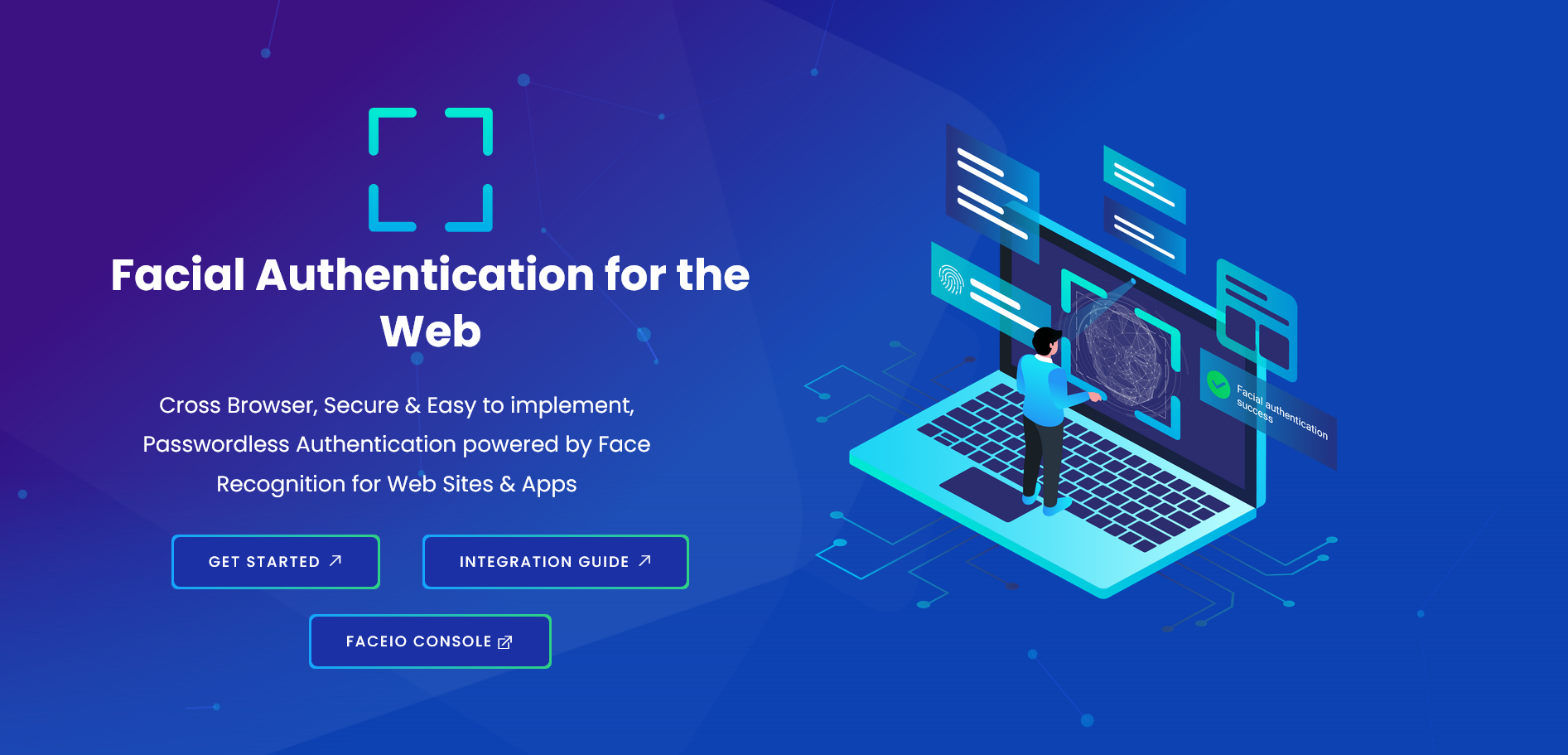
FACEIO is a cross-browser, facial authentication framework that can be implemented on any website via simple JavaScript snippet to easily authenticate users via Face Recognition instead of the traditional login/password pair or OTP code.

You can start implementing FACEIO on your website or web-based application immediately by following our getting started guide here.

The Developer Intro

FACEIO is a cross-browser, Cloud & On-Premise deployable, facial authentication framework, with a client-side JavaScript library (fio.js) that integrates seamlessly with any website or web application desiring to offer secure facial recognition experience to their users.

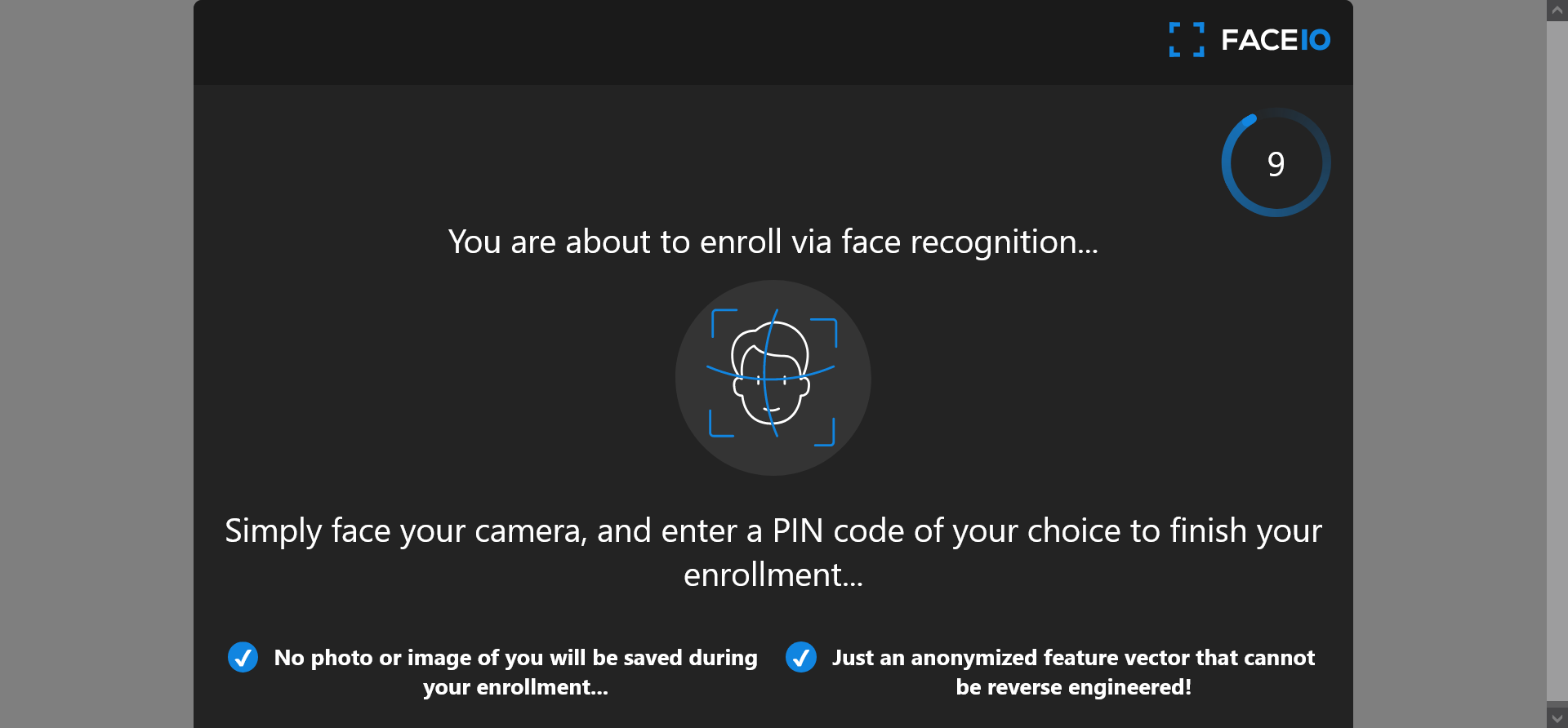
Put it simply, FACEIO is the easiest way to add passwordless authentication to web based applications. Simply implement fio.js on your website, and you will be able to instantly authenticate your existing users, and enroll new ones via Face Recognition using their computer Webcam or smartphone frontal camera on their favorite browser.

Once fio.js implemented on your website, you'll be able to instantly recognize your existing users, on-board new members securely with maximum convenience, and at real-time thanks to passwordless experience powered by face recognition.

FACEIO works with regular Webcams or smartphones frontal camera on all modern browsers, does not require biometric sensors to be available on the client side, and works seemingly with all websites and web-based applications regardless of the underlying front-end JavaScript framework or server-side language or technology.

Features

  • Authenticates and confirms identity of users instantly without FIDO keys, OTP codes, or security questions.
  • Full cross-browser compatibility (Chrome, Firefox, Safari, Edge & Chromium derivatives).
  • Zero external dependency. Only standard technology implemented in plain JavaScript & CSS.
  • Defense grade accuracy with less than 100 milliseconds recognition speed powered by state-of-the-art facial recognition engines.
  • Highest security standards. Privacy by design with maximum user convenience. No requirements for biometric sensor.

Adding FACEIO to your website

Enroll New User

Implementing FACEIO on your website or webapp is straightforward. Before so, you need to create a new application first on the FACEIO Console, and link this resource to your website or web application. The checklist below highlights the steps to follow for a smooth integration of fio.js on your site:

  1. Create a new FACEIO application first: Follow the Application Wizard on the FACEIO Console to create your first application and link it to your website or web application.
  2. The Application Wizard should automate the creation process for you. Usually, this involve inputting an application name, selecting a facial recognition engine, cloud storage region, reviewing security options, customizing the Widget layout, and so forth... FACEIO Application Wizard
  3. Once your first FACEIO application created, simply implement fio.js, our facial recognition JavaScript library on your website, and initialize the library with your application Public ID.
  4. Congratulations 👏. You have FACEIO up & running! Now, it's time to enroll() and authenticate() your first user via face recognition. Refer to the HTML Integration Boilerplate on how to do so...

Some Links to Get Started

It’s super quick to implement FACEIO, and get it up & running on your website or web application. The following tutorials, and guides should help you get started with FACEIO:

Automatically Filter Image Uploads According to their NSFW Score

Our colleague Vincent just published an interesting blog post on dev.to on how to automatically filter images uploads (GIF included) according to their NSFW score via the PixLab NSFW API endpoint and apply a blur filter if adult, nudity or gory details is detected. Find out more information via the following links:

Face Emotion now predict the Age and Gender of the target face

Good news for PixLab customers!

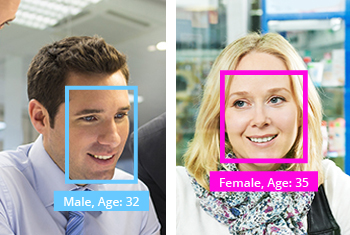
The /facemotion endpoint now besides outputting the rectangle coordinates for each detected human face, you'll be able to accurately extract their gender, age and emotion pattern via their facial shapes in just a matter of few milliseconds thanks to our newly deployed machine learning models hosted on OVH and AWS instances simultaneously for worldwide availability.

face emotion, gender and age

Below a Python sample to show you how easy is to predict the Age and Gender of any human face.

import requests
import json

# Detect all human faces present in a given image and try to guess their age, gender and emotion state via their facial shapes

# Target image: Feel free to change to whatever image holding as many human faces as you want
img = 'http://www.scienceforums.com/uploads/1282315190/gallery_1625_35_9165.jpg'

req = requests.get('http://api.pixlab.io/facemotion',params={
    'img': img,
    'key':'PixLab_API_Key',
})
reply = req.json()
if reply['status'] != 200:
    print (reply['error'])
    exit();

total = len(reply['faces']) # Total detected faces
print(str(total)+" faces were detected")
# Extract each face now 
for face in reply['faces']:
    cord = face['rectangle']
    print ('Face coordinate: width: ' + str(cord['width']) + ' height: ' + str(cord['height']) + ' x: ' + str(cord['left']) +' y: ' + str(cord['top']))
    # Guess emotion
    for emotion in face['emotion']:
        if emotion['score'] > 0.5:
            print ("Emotion - "+emotion['state']+': '+str(emotion['score']))
    # Grab the age and gender
    print ("Age ~: " + str(face['age']))
    print ("Gender: " + str(face['gender']))

You can visit the PixLab Github repository for additional code samples in various programming languages including PHP and Java.

SOD Embedded 1.1.7 Released

Symisc Systems is pleased to release the first major version of the SOD library! SOD is an embedded, modern cross-platform computer vision and machine learning software library that expose a set of APIs for deep-learning, advanced media analysis & processing including real-time, multi-class object detection and model training on embedded systems with limited computational resource and IoT devices.

SOD was built to provide a common infrastructure for computer vision applications and to accelerate the use of machine perception in open source as well commercial products.

Notable SOD features

  • Built for real world and real-time applications.
  • State-of-the-art, CPU optimized deep-neural networks including the brand new, exclusive RealNets architecture.
  • Patent-free, advanced computer vision algorithms.
  • Support major image format.
  • Simple, clean and easy to use API.
  • Brings deep learning on limited computational resource, embedded systems and IoT devices.
  • Easy interpolatable with OpenCV or any other proprietary API.
  • Pre-trained models available for most architectures.
  • CPU capable, RealNets model training.
  • Production ready, cross-platform, high quality source code.
  • SOD is dependency free, written in C, compile and run unmodified on virtually any platform & architecture with a decent C compiler.
  • Amalgamated - All SOD source files are combined into a single C file (sod.c) for easy deployment.
  • Open-source, actively developed & maintained product.
  • Developer friendly support channels.

Programming Interfaces

The documentation works both as an API reference and a programming tutorial. It describes the internal structure of the library and guides one in creating applications with a few lines of code. Note that SOD is straightforward to learn, even for new programmer.

SOD in 5 minutes or less

A quick introduction to programming with the SOD Embedded C/C++ API with real-world code samples implemented in C.


C/C++ API Reference Guide

This document describes each API function in details. This is the reference document you should rely on.


SOD Github Repository

The official Github repository.


C/C++ Code Samples

Real world code samples on how to embed, load models and start experimenting with SOD.